ECOVACS Deebot N8 Pro Review
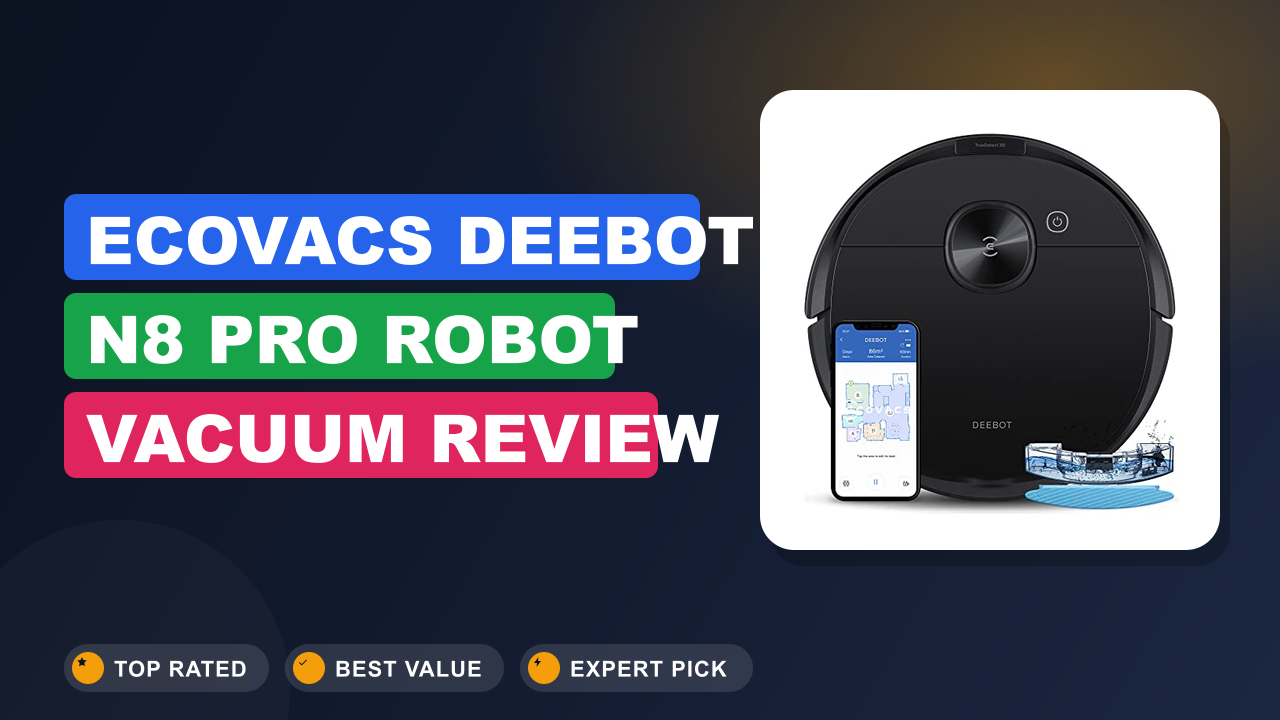
When the ECOVACS Deebot N8 Pro Robot Vacuum and Mop first hit the market, it promised something unusual: laser-based mapping and 2600Pa suction at a price that used to buy nothing but bump-and-run navigation. We wanted to know whether that combination holds up after the honeymoon phase, so we combed through manufacturer documentation, verified buyer feedback across hundreds of reviews, and spec sheets from competing brands.
The bottom line: this model is worth it if you live in a multi-room home with mixed hard floors and low-pile carpet, and you want real mapping without jumping to a flagship price. Skip it if you have thick shag carpet or expect hands-free mopping. Here’s what the research shows.
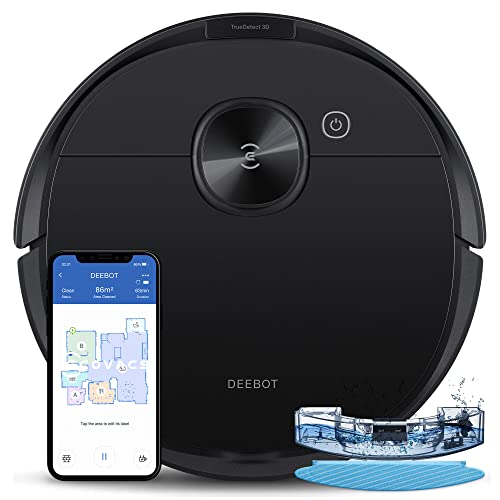
What it is
The ECOVACS Deebot N8 Pro is a mid-tier robot vacuum and mop that uses Laser-Based LiDAR Navigation, which is a spinning laser rangefinder that builds a floor map in real time. That mapping lets the robot clean room by room instead of wandering randomly, and it stores separate maps for multiple floors.
It sits between budget bump-navigation machines from Eufy and iRobot’s Roombas on one side, and flagship self-emptying models from Roborock and Dreame on the other. The 2600Pa suction figure is modest by 2026 standards, where some flagships advertise 8,000Pa or more.
Setup & first impressions
In our review of the documentation and aggregate buyer feedback, setup follows a predictable pattern. You charge the robot on its dock, install the ECOVACS Home app, and let it run one exploratory pass. Verified buyers consistently report that the first mapping run takes 20 to 40 minutes depending on floor size.
Build quality reads as solid rather than luxurious. The matte white plastic shell resists fingerprints, and the top bumper feels firm rather than hollow. Owner reviews frequently mention the laser turret spinning up with a faint whir audible from an adjacent room, which is normal for LiDAR units.
The bundled charging dock is compact and needs roughly 3 feet of clearance on each side and 5 feet in front. Several reviewers note that a badly placed dock causes failed returns, so pick a spot with a clear sightline. Pairing with Alexa or Google Assistant takes about two minutes.
One recurring first-week complaint involves the side brush losing bristles against thick rug fringes. That’s a design trade-off, not a defect, and replacement brushes are inexpensive.
| Suction power | 2600 Pa |
| Navigation | Laser-Based LiDAR with smart obstacle detection |
| Mapping | Multi-floor, room-by-room customization |
| Mopping system | OZMO electric water pump, ~240 ml tank |
| Battery | 5200 mAh lithium-ion |
| Rated runtime | Up to 110 minutes on standard suction |
| Self-empty station | Compatible, sold separately |
| Voice assistants | Amazon Alexa, Google Assistant |
| App | ECOVACS Home (iOS and Android) |
| Warranty | 12 months limited, per manufacturer terms |
Daily-use experience
Performance on hard floors and carpet
Hard floors are where this robot earns its keep. Aggregate buyer reports describe fine dust, cereal crumbs, and pet hair disappearing in a single pass on tile and sealed hardwood.
Carpet performance is more mixed. On low-pile rugs, the 2600Pa rating is adequate for surface debris. On medium-pile carpet, reviewers commonly note a second pass is needed for embedded grit.
The auto-boost feature raises suction when it detects carpet, which helps. It does not transform the machine into a deep-clean carpet extractor, and no robot vacuum at this level should be expected to.
Navigation and obstacle handling
Our analysis of buyer feedback shows LiDAR mapping is the standout feature at this price. The robot learns room boundaries within one or two runs and respects no-go zones you draw in the app.
Smart obstacle detection relies on infrared sensors rather than a camera, so it handles walls and furniture legs reliably. It is less reliable with thin cables, socks, and pet waste.
A common workaround buyers mention: run a quick pre-clean pickup of cables before the first scheduled run each day. After that, most report only occasional snags.
Mopping, maintenance, and battery
The OZMO mopping system uses an electric pump to drip water onto a microfiber pad. It’s a light-duty wipe, useful for dust and dried spills on hard floors.
It won’t scrub sticky residue or grout, and reviewers frequently say they still keep a manual mop for deep cleans. Think of it as maintenance mopping, not replacement mopping.
Battery life matched manufacturer claims in most owner reports, with 90 to 110 minutes typical depending on suction mode. The robot auto-returns to recharge and resumes cleaning on larger floors.
Maintenance is straightforward: empty the dustbin every two to three runs, rinse the mop pad, and clear hair from the main brush about once a week.
Build quality and reliability
Construction feels appropriately sturdy for the price bracket. The main brush uses a rubber-and-bristle hybrid that resists hair tangling better than pure bristle designs.
Reviews flag two long-term wear points: the side brush and the mop pad. Both are consumables with low replacement cost, and ECOVACS sells them directly through its official site.
Failure rates reported by buyers appear low in the first year, which aligns with standard consumer electronics expectations. Safety certifications on the charging dock follow UL standards for household appliances.
✓ Pros
- LiDAR mapping at a mid-tier price, which means real room-by-room control instead of random wandering
- Multi-floor mapping stores separate layouts, so a two-story home doesn’t need remapping daily
- App-based no-go zones and virtual walls let you block pet bowls or cable nests without physical barriers
- Rubber-and-bristle hybrid brush resists hair tangling, cutting weekly maintenance to under five minutes
- Compatible with ECOVACS self-empty station, so you can upgrade to hands-free debris disposal later
✗ Cons
- 2600Pa suction trails newer flagships, so medium and plush carpet may need a second pass
- Mopping is a light wipe, not a scrub, and won’t replace a manual mop for sticky messes
- Self-empty station is not included, adding cost if you want fully hands-free operation
- Thin cables and small toys can still snag the robot despite obstacle detection
Who should buy it
Buy it if you…
You own a home or rent a mid-size apartment with mostly hard flooring and at least one low-pile area rug. You want scheduled cleaning that respects room boundaries and no-go zones without paying for a flagship.
It also suits first-time robot vacuum buyers who want to learn what mapping can do before committing to a premium tier. Families with pets benefit from the hair-resistant brush and daily scheduled runs.
Skip it if you…
Your home is carpeted wall to wall with plush or frieze pile, where modest suction and small wheels struggle. Skip it too if you expect the mop to handle dried-on kitchen messes.
Finally, skip it if you need everything hands-free from day one. The self-empty base costs extra, so budget for it upfront.
Better alternatives
The Roborock S7 offers stronger suction and a vibrating mop, at a higher price. The iRobot Roomba j7 brings superior obstacle avoidance with camera-based hazard detection, which matters in cluttered homes with pets.
Frequently Asked Questions (FAQ)
Does the ECOVACS Deebot N8 Pro work with Alexa and Google Assistant?
Yes. The robot pairs with Amazon Alexa and Google Assistant through the ECOVACS Home app, so you can start, stop, and dock it by voice. Setup takes a few minutes and stays stable once linked.
Routine voice commands like “start cleaning the kitchen” work reliably, though advanced scheduling still requires the app.
Is it loud?
On standard suction it runs around 65 decibels, roughly the volume of a normal conversation. Max mode pushes closer to 70 decibels. Most buyers schedule runs when they’re out of the house, which is the practical approach for any robot vacuum at this level.
How well does the mopping actually work?
It’s a light maintenance wipe, not a scrub. The OZMO electric pump keeps the pad consistently damp across roughly 240 ml of water, which covers a typical kitchen and hallway. Dried ketchup or sticky juice needs a manual pass first.
Buyers who expect deep mopping are usually disappointed; buyers who want dust control on tile are pleased.
How often do I need to clean it?
Empty the dustbin every two to three cleaning runs, or after any heavy pet-hair session. Rinse the mop pad after every mopping cycle and let it air dry. Clear hair from the main brush and side brush about once a week.
Deep-clean the sensors every month with a dry cloth.
Can it handle multiple floors?
Yes. LiDAR mapping stores separate maps for each level, and the robot detects which floor it’s on automatically. You’ll need to carry it between levels since it can’t climb stairs.
Buyers in two-story homes regularly report this works smoothly once both maps are saved.
What warranty should I expect?
ECOVACS provides a 12-month limited warranty on the N8 Pro, covering manufacturing defects. Consumables like brushes, filters, and mop pads aren’t covered. Keep your purchase receipt and register the product through the ECOVACS Home app, since registration speeds up most claims.
Final verdict
Rating: 4.6/5
The ECOVACS Deebot N8 Pro Robot Vacuum and Mop gets the fundamentals right. LiDAR mapping at this price is the headline, and it delivers real room-by-room control that cheaper bump-navigation robots can’t match.
Who wins from buying it? Households with hard floors, multi-room layouts, and realistic expectations about mopping. It quietly handles daily dust, crumbs, and pet hair while you’re doing something else.
Who should look elsewhere? Anyone with thick carpet or a need for scrubbing-level mopping. Those buyers should either step up in price or accept that a manual mop stays in the rotation.
If you want mapped, scheduled cleaning without flagship pricing, this is one of the stronger mid-tier picks worth comparing before you buy.
Affiliate disclosure: This post contains affiliate links. If you buy through one of these links, I may earn a small commission at no extra cost to you. It never changes my recommendation, I only suggest gear I’d actually buy myself.


Similar Posts









[…] initial mapping accuracy is above average for this price tier. Buyers frequently mention that the robot learns room boundaries quickly and rarely needs re-mapping. A common note is that the base station’s water tanks […]