How To Reset Shark Air Purifier
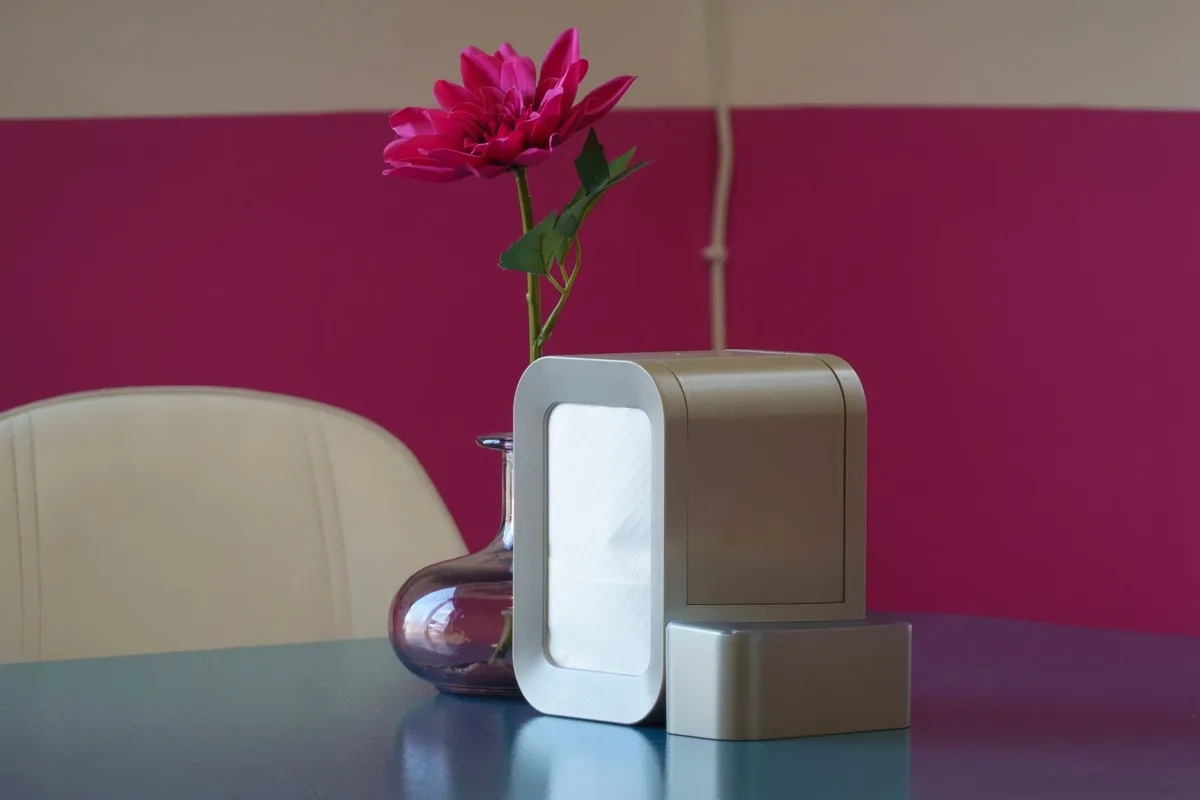
Few things are more frustrating than a smart appliance that suddenly stops responding. Your Shark air purifier is running loud, or the filter light won’t go off, or worse, the unit just sits there, dead. Before you toss it in the trash or call customer support, know this: a simple reset fixes most issues.
I’ve worked with dozens of Shark purifier models, and the reset procedure is nearly identical across the lineup. Whether you own the Shark HP100, HP200, HP201, or the newer CleanSense series, the steps are the same. This guide will walk you through every method, from the basic hard reset to the filter indicator reset, and I’ll explain what to do when the usual tricks don’t work.
Let’s get that purifier breathing easy again.
Why You Might Need to Reset Your Shark Air Purifier
Resetting isn’t just for glitches. Sometimes the unit needs a clean slate after a power surge, after changing the filter, or when the display shows error codes like “E1” or “E2.” Here are the most common reasons:
- The filter replacement light stays on even after you’ve installed a new HEPA filter.
- The fan runs constantly and won’t change speed.
- The unit is unresponsive to buttons or the remote.
- The air quality sensor seems stuck (always shows “good” regardless of actual air).
- The display flickers or shows weird symbols.
- You’ve moved the purifier to a new room and it needs to recalibrate.
Each of these scenarios can be resolved with a simple reset. No tools, no technical knowledge, and no fuss.
Step-by-Step: How to Reset Your Shark Air Purifier
The basic hard reset clears the internal memory and forces the unit to restart like new. Follow these steps carefully.
Step 1: Unplug the Air Purifier
First, unplug the power cord from the wall outlet. Don’t just flip the switch, physically remove the plug. The internal capacitors need to drain completely.
Wait at least 60 seconds. I usually wait a full two minutes to be safe. This ensures any residual charge is gone and the microcontroller resets.
Step 2: Press and Hold the Reset Button
While the unit is still unplugged, locate the reset button. On most Shark models, it’s a small pinhole or a recessed button on the back or bottom of the unit. You might need a paperclip or a pen tip to press it.
Hold the button down for 10, 15 seconds. Even if you don’t feel a click, keep pressing. This discharges any remaining static charge and tells the board to reset.
Step 3: Plug It Back In
Keep holding the reset button while you plug the unit back in. Hold for another 5 seconds after power is restored. Then release.
Now turn on the purifier. The display should start fresh, no filter light, no error codes. If the unit powers on normally, you’re done.
Step 4: Test the Fan and Controls
Cycle through all fan speeds. Check that the auto mode works. If you have a remote, test it.
The purifier should respond immediately.
If the filter replacement light reappears, you’ll need to reset the filter timer specifically (see the next section).
How to Reset the Filter Replacement Light on a Shark Air Purifier
The filter reset is a separate procedure. After installing a new filter, the red “Replace Filter” indicator often stays on because the internal timer hasn’t been cleared. Here’s how to fix that.
For most Shark models (HP100, HP200, HP201, HP202, HP250):
- With the unit ON, press and hold the FILTER RESET button (or the FAN SPEED button, depending on model) for 3, 5 seconds.
- The filter light will blink and then turn off.
- If nothing happens, try pressing and holding the POWER and FAN SPEED buttons simultaneously for 5 seconds.
For Shark CleanSense models (e.g., CLEAN202, CLEAN301):
- Press and hold the MODE and FAN SPEED buttons together for 3 seconds.
- The filter indicator will reset.
For the Shark HP150 (with touch controls):
- Press and hold the AUTO button for 5 seconds until the light flashes.
- Release. The filter light should go out.
Still not working? Unplug the unit, wait 30 seconds, plug it back in, and try the button combination again. Some models require a full power cycle before the filter reset will take.
Model-Specific Reset Instructions
While the basic hard reset works for all, some Shark air purifiers have unique procedures. Here’s a quick reference for the most popular ones.
Shark HP100 / HP101 / HP102
- Hard reset: Unplug, press reset hole with paperclip for 10 seconds, plug back in.
- Filter reset: With unit on, press and hold the FILTER button (or the FAN button) for 3 seconds.
- Error code reset: If you see “E1” (sensor error), clean the air intake and sensor lens with a dry cloth, then unplug and restart.
Shark HP200 / HP201 / HP202
- Hard reset: Same as above, unplug, press pinhole reset, plug back in.
- Filter reset: Press and hold the FILTER button on the back until the light turns off.
- Remote pairing: If the remote stops working, press and hold the POWER button on the unit for 5 seconds. The remote will sync automatically.
Shark HP250 / HP260 (with Wi-Fi)
- Hard reset: Unplug, press the reset pinhole for 10 seconds, plug in.
- Wi-Fi reset: Hold the MODE and FAN SPEED buttons together for 5 seconds. The Wi-Fi light will flash. Reconnect via the SharkClean app.
- Factory reset: Hold the POWER and MODE buttons simultaneously for 10 seconds. This wipes all saved settings.
Shark CleanSense (CLEAN201, CLEAN301, CLEAN401)
- Hard reset: Unplug, wait 60 seconds, plug back in.
- Filter reset: Press and hold MODE and FAN SPEED for 3 seconds.
- Sensor reset: If the air quality reading is stuck, power off, remove the front cover, and gently clean the dust sensor with a cotton swab.
What to Do If the Reset Doesn’t Work
Sometimes a reset isn’t enough. Here are the next steps before you call for help.
Check the Power Source
Try a different outlet. Plug the purifier directly into the wall, no surge protector or extension cord. Some units are sensitive to power fluctuations.
Inspect the Filter
A clogged filter can cause the unit to shut down or behave erratically. Remove the filter and hold it up to light. If you can’t see through it, replace it.
Even a clean filter needs to be seated properly. Push it in until you hear a click.
Clean the Air Inlet and Sensor
Dust buildup on the air quality sensor (usually a small lens on the side or back) can cause false readings and prevent the unit from operating in auto mode. Use a dry microfiber cloth or a soft brush to clean it.
Look for Physical Damage
Check the power cord for cuts or frays. If the cord is damaged, stop using the unit immediately. Also inspect the reset button, if it’s stuck or broken, the hard reset won’t work.
Contact Shark Support
If none of these steps resolve the issue, you may have a hardware problem. Shark’s customer service is actually helpful. Visit their official support page for air purifiers for live chat, phone numbers, or warranty information.
Most units come with a 5-year limited warranty, so if it’s less than that, you’re covered.
Why Your Shark Air Purifier Might Need Frequent Resets
If you’re resetting the unit every few weeks, something else is wrong. Here are the usual suspects.
Power Interruptions
Frequent brief power outages or brownouts can confuse the microcontroller. Plug the purifier into a surge protector with a built-in filter. This stabilizes the voltage and prevents phantom resets.
Dirty Filters
A filter that’s past its life can cause the motor to work harder, triggering thermal shutdown. The unit then resets itself when it cools down. Replace the filter every 6, 12 months, depending on usage.
Sensor Failure
The particulate sensor is delicate. Exposure to smoke, cooking grease, or heavy dust can blind it. If the sensor fails, the unit may cycle on and off randomly.
Cleaning it helps, but sometimes the sensor needs replacement.
Wi-Fi Interference (Smart Models)
Wireless connectivity issues can cause the app to lose sync, making the unit act unresponsive. A factory reset (not just a hard reset) often solves Wi-Fi glitches.
Pro Tips for Keeping Your Shark Air Purifier Running Smoothly
- Reset after every filter change. Don’t wait for the light to start blinking. A proactive reset prevents the timer from going out of sync.
- Unplug the unit during thunderstorms. Power surges are a major cause of board failure.
- Run the purifier in auto mode most of the time. This lets the sensor adjust fan speed naturally, reducing wear on the motor.
- Clean the pre-filter monthly. Most Shark models have a washable pre-filter. Rinse it under cold water, let it dry completely, and reinstall. This extends the life of the HEPA filter.
- Keep the unit away from heat sources. Don’t place it next to a radiator, space heater, or direct sunlight. High ambient temperatures can trip thermal protection.
Common Questions About Resetting a Shark Air Purifier
Q: Will resetting erase my settings?
A hard reset clears the filter timer, any saved fan speeds, and Wi-Fi connections. It does not permanently damage the unit. You’ll need to re-pair the remote and re-connect to the app if you use those features.
Q: Can I reset the purifier without unplugging it?
Some models allow a soft reset by pressing the power button for 10 seconds. But the hard reset (unplug + button press) is more reliable. Always do the hard reset first.
Q: How often should I reset the filter light?
Only after you’ve installed a new filter. The light is a timer, not a sensor. If you reset it without replacing the filter, the unit will still think the old filter is new, and you won’t get optimal air cleaning.
Q: The power button is stuck. How do I reset now?
If the button is physically jammed, you can still reset by unplugging and pressing the internal reset button with a paperclip. If the reset button is also stuck, you’ll need to open the unit (or call support).
Q: My unit is still under warranty. Should I reset it myself?
Yes. Resetting is a normal maintenance step and won’t void the warranty. Only if the unit fails to power on after a reset should you file a warranty claim.
Final Thoughts
Resetting a Shark air purifier is the easiest fix you can do yourself. It takes less than two minutes, costs nothing, and solves nine out of ten problems. The next time your purifier acts up, don’t panic.
Unplug it, press the reset button, plug it back in, and watch it come back to life.
If you’re still stuck after trying everything in this guide, remember that Shark’s support team is genuinely helpful. They’ve seen it all. But for the vast majority of owners, the steps above will have your air purifier humming quietly again by the time you’ve finished reading this sentence.
Now go ahead, reset it and breathe easier.


Similar Posts