Why Does My Ceiling Fan Turn on by Itself
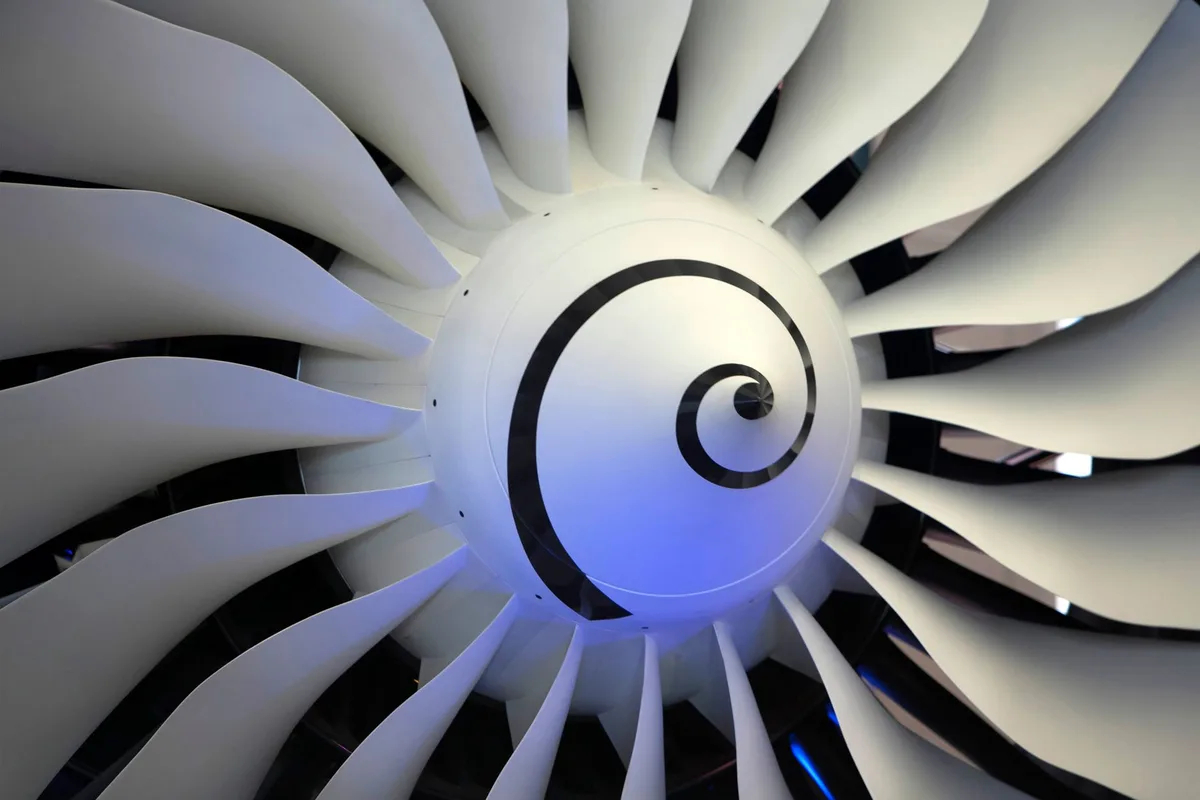
You might have noticed your ceiling fan kicking on when you didn’t touch the switch. It’s a bit unnerving, right? This unexpected behavior can range from a minor annoyance to a genuine concern about your home’s electrical safety.
The good news is that most of the time, a ceiling fan that turns on by itself is due to a handful of common, fixable issues. Let’s dive into what could be causing your fan to operate autonomously and how you can get it back under your control.
Loose Wiring or Faulty Connections
Inside your ceiling fan’s housing, there are numerous wire connections. Over time, vibrations from the fan’s operation or even slight settling of your home can cause these wires to loosen. When a connection becomes intermittent, it can sometimes complete a circuit unexpectedly, telling the fan to turn on.
This is especially true if the wiring is related to the fan’s speed controls or its on/off function.
Beyond just loosening, sometimes individual wires within the connection can fray or break. This can lead to unpredictable electrical flow. A loose wire is a common culprit for a ceiling fan turning on by itself.
I’ve found that if a fan has been running for a long time or has been recently installed, the connections are more prone to shifting. It’s vital to ensure all wire nuts are securely twisted onto the corresponding wires and that no copper is exposed outside of the wire nut.
Image source: Pexels / Jeffry Surianto (Pexels License)
Incorrectly Wired Wall Switch or Remote Control
This is a big one, especially if your ceiling fan has a remote control or is connected to a smart home system. Often, the issue isn’t with the fan itself but with the control mechanism. A wall switch that’s wired incorrectly can send phantom signals, or a remote control that’s malfunctioning or has a low battery can cause erratic behavior.
Think about it: the remote control is essentially a wireless switch. If its internal circuitry is faulty, or if it’s constantly sending a signal due to a stuck button or a short, your fan could interpret that as a command to turn on. I’ve seen situations where a pet accidentally activated a remote that was left in a place a furry friend could reach, leading to the fan starting up.
Similarly, if a wall switch was recently installed or replaced, and the wiring isn’t quite right, it could be the source of the problem. This often involves the connections where the house wiring meets the switch itself.
Tripped Circuit Breaker or Overloaded Circuit
While a tripped circuit breaker usually means the power goes off, in rare instances, a breaker that’s on the verge of tripping or a partially tripped breaker could behave strangely. It might allow some power through, enough to trigger the fan’s electronics, but not consistently enough to run the fan at its normal speed.
An overloaded circuit means too many appliances are drawing power from the same circuit. This can cause fluctuations in voltage. These fluctuations can sometimes send false signals to sensitive electronic components within a ceiling fan, making it turn on.
It’s always a good idea to check your electrical panel. If a breaker is in a position that looks “between” on and off, it might be the cause. Resetting it firmly to the “off” position and then back to “on” can sometimes resolve intermittent power issues.
Faulty Capacitor or Motor Issues
Every ceiling fan has a capacitor and a motor. The capacitor helps regulate the motor’s speed and starting torque. If the capacitor starts to fail, it can cause the motor to behave erratically.
This might manifest as the fan suddenly turning on, or even not turning off when it should.
Motor issues themselves, like a worn bearing or internal electrical problems within the motor windings, can also lead to unpredictable operation. While less common than wiring or control issues, a failing motor or capacitor is a definite possibility. These symptoms often come with other signs, like humming noises or reduced fan speed.
Dust and Debris Buildup
This might sound too simple, but dust and debris can actually impact a ceiling fan’s operation. Accumulations of dust on the motor, blades, or internal components can sometimes interfere with the fan’s electrical pathways or heat up components. This increased heat can trigger protective mechanisms or, in some cases, cause minor shorts that lead to the fan activating.
I’ve found that fans in older homes or those that haven’t had regular maintenance are more susceptible to this. A good cleaning can sometimes be the simplest solution. When cleaning, make sure to unplug the fan first!
Thermostatic Controls or Smart Home Integration Issues
If your ceiling fan has a built-in thermostatic feature designed to activate when the room reaches a certain temperature, a malfunction in that sensor could be the cause. The thermostat might be falsely detecting heat and triggering the fan.
Likewise, if your fan is integrated into a smart home system (like Google Home, Alexa, or Apple HomeKit), faulty programming, a glitch in the app, or an incorrect automation setting could be telling your fan to turn on at specific times or under certain conditions, even if you didn’t set it up that way. Double-checking your smart home app for any unusual or unintended routines is a crucial step. This is an area where I’ve seen a surprising number of peculiar fan behaviors arise from.
Interference with Other Appliances or Electrical Devices
Sometimes, other electrical devices in your home can interfere with your ceiling fan’s operations, especially if you have a fan with a radio frequency (RF) remote control. Strong signals from other RF devices, or even certain types of lighting (like fluorescent bulbs or some LED dimmers), can occasionally cause interference. This interference can be picked up by the fan’s receiver and interpreted as a command.
This is more common with older remote control systems. Newer, more sophisticated systems are generally better shielded against such interference.
Age and Wear and Tear
Like any mechanical or electrical device, ceiling fans don’t last forever. As they age, components can wear out. Insulation on wires can degrade, plastic parts can become brittle, and the motor itself can experience wear.
This general wear and tear can lead to a variety of issues, including a fan that turns on by itself.
If your fan is quite old, it might simply be reaching the end of its lifespan. It’s worth considering the age of the unit alongside any specific symptoms it’s exhibiting.
Troubleshooting Steps for a Fan That Turns On By Itself
The good news is that you can often troubleshoot this problem yourself. Here’s a step-by-step approach to get to the bottom of why your ceiling fan is acting on its own.
1. Check the Remote Control (if applicable):
- Batteries: If your fan has a remote, try replacing the batteries even if they seem fine. Low battery power can cause unpredictable behavior in electronics.
- Stuck Buttons: Ensure no buttons on the remote are stuck or look damaged.
- Reprogramming: Consult your fan’s manual to see if there’s a way to re-pair or reprogram the remote to the fan receiver. This can often clear any communication glitches.
- Test Without Remote: If possible, temporarily remove the batteries from the remote entirely to see if the fan stops turning on by itself. If it does, the remote is almost certainly the culprit.
2. Examine the Wall Switch:
- Loose Plate: Check if the wall switch plate is loose. Sometimes, this can indicate loose wiring behind the switch.
- Dimmer Switches: If you have a dimmer switch controlling the fan, try replacing it with a standard on/off switch. Some older dimmers are not compatible with fan motors and can cause issues.
- Physical Condition: Look for any signs of damage, scorching, or melting around the switch. If you see any, do not attempt to touch it. Call an electrician immediately.
3. Inspect Wiring (with caution):
- Safety First: Before inspecting any wiring, always turn off the power to the fan at the circuit breaker. This is non-negotiable. Verify the power is off by trying to turn the fan on at the wall switch or pull chain.
- Canopy and Housing: Remove the fan canopy (the decorative cover at the ceiling where the fan attaches). You’ll likely need a screwdriver for this.
- Wire Connections: Carefully examine all wire connections within the fan’s housing and the electrical box. Ensure wire nuts are secure and that no bare wire is exposed. Gently tug on each wire within the wire nut to ensure it’s seated properly.
- Condition of Wires: Look for any signs of frayed, cut, or burnt insulation on the wires.
- Tighten Connections: If you find any loose connections, tighten them securely. If you’re unsure about any wiring, it’s best to consult a qualified electrician.
4. Check the Circuit Breaker:
- Locate Panel: Find your home’s main electrical panel.
- Identify Breaker: Locate the breaker that controls the circuit your ceiling fan is on.
- Reset: If the breaker is tripped (usually in a position between “on” and “off”), firmly push it to the “off” position and then back to the “on” position.
- Observe: See if this resolves the issue. If the breaker trips again repeatedly, you have a more serious electrical problem that needs professional attention.
5. Clean the Fan Thoroughly:
- Power Off: Again, ensure the power is off at the breaker.
- Dust Removal: Use a vacuum cleaner with a brush attachment or a damp cloth to clean the blades, motor housing, and any accessible internal components. Be gentle and avoid getting excessive moisture into the electrical parts.
6. Consider Smart Home Settings:
- Review Automations: If your fan is smart-enabled, open its associated app (Google Home, Alexa app, etc.). Check for any scheduled events, routines, or automations that might be causing the fan to turn on.
- Disable Temporarily: Try temporarily disabling any suspicious automations to see if the fan behaves normally.
7. Listen for Unusual Noises:
- Strange humming, buzzing, or clicking sounds coming from the fan or its motor can indicate a failing component such as a capacitor or motor bearings.
When to Call a Professional Electrician
While many of these issues are DIY-friendly, there are times when it’s absolutely crucial to call in a professional electrician.
- You see any signs of scorching, melting, or burnt wires at the switch, outlet, or fan housing.
- The circuit breaker continues to trip after you reset it.
- You are uncomfortable or unsure about inspecting electrical wiring.
- You’ve tried all the basic troubleshooting steps, and the fan still turns on by itself.
- You suspect issues with the fan’s capacitor or motor, as these can be complex to diagnose and replace for the average homeowner.
A qualified electrician has the tools, knowledge, and experience to safely diagnose and repair complex electrical problems, ensuring your fan operates reliably and, most importantly, safely. They can also identify if the problem stems from faulty wiring within your home’s walls, which is beyond the scope of simple fan maintenance.
Common Fan Types and Their Specific Quirks
The type of ceiling fan you have can influence the likelihood of certain issues.
- Pull-Chain Fans: These are the most basic. Issues here are almost always related to loose wiring or a faulty pull-chain switch mechanism itself. The simple nature of these fans means fewer electronic components to go wrong.
- Remote-Controlled Fans: As mentioned, these are prime candidates for remote control issues, receiver malfunctions, or interference. The receiver unit, often housed in the fan’s canopy, is a point of potential failure.
- Smart Fans (Wi-Fi/Bluetooth Enabled): These are the most sophisticated and, therefore, have the most potential points of failure. Beyond the typical electrical and mechanical issues, glitches in software, app connectivity, or faulty smart home integration are common causes. Ensuring your smart home devices and the fan’s firmware are up-to-date is important.
- Fans with Lights: Fans that also incorporate lights add another layer of complexity. Problems with the light kit’s wiring or its separate switch/control can sometimes affect the fan motor’s operation, though this is less common.
Understanding Your Ceiling Fan’s Electrical Components
To better understand why your ceiling fan might be turning on by itself, it’s helpful to know a bit about its basic electrical components:
- Motor: The heart of the fan, responsible for making the blades spin. It’s powered by the house’s electricity.
- Capacitor: A small device that stores electrical energy. For ceiling fans, it’s crucial for starting the motor and regulating its speed. A failing capacitor can lead to erratic motor behavior, including unexpected starts.
- Receiver: In remote-controlled fans, this unit, usually in the canopy, receives signals from the remote and translates them into commands for the fan motor and lights. A faulty receiver is a frequent cause of self-activation.
- Wall Switch/Controller: This is the primary interface for controlling the fan. Issues can arise from the switch itself or the wiring connected to it.
- Wiring: The network of wires connecting all these components and bringing power from your home’s electrical system. Loose connections, damaged insulation, or improper wiring are significant risks.
Common Misconceptions and What They Usually Mean
Sometimes, homeowners misinterpret normal fan behavior for something more sinister.
- Humming Without Spinning: A faint humming noise might indicate the fan is receiving power but can’t start due to a mechanical obstruction or a capacitor issue. It doesn’t necessarily mean it’s turning on by itself if it’s not spinning, but it is a sign of trouble.
- Fan Starts When Light is Turned On: If your fan and light are on the same circuit and controlled by the same switch, operating the light might sometimes cause a slight power surge or fluctuation that the fan’s electronics can react to. This can be more noticeable with older wiring or certain types of bulbs. However, if the fan spins wildly or unpredictably when the light is on, it could indicate a wiring fault.
- Fan Speed Changes Unintentionally: While this is a symptom of a malfunction, it’s not the same as the fan turning on. This usually points to a faulty speed control, capacitor, or even motor issues.
Long-Term Care and Prevention
Preventing your ceiling fan from turning on by itself often comes down to regular maintenance and careful installation.
- Professional Installation: If you’re not experienced with electrical work, always have your ceiling fan installed by a qualified electrician. Proper installation minimizes the risk of wiring errors from the start.
- Regular Cleaning: Periodically clean your fan (power off!) to prevent dust buildup. This not only helps with operation but can also extend the life of the motor.
- Check for Loose Mountings: Occasionally, check that the fan is securely mounted to the ceiling and that no parts are wobbling excessively.
- Use Compatible Remotes/Switches: If you replace a remote, dimmer, or switch, ensure it’s explicitly compatible with your ceiling fan model.
- Monitor Remote Performance: For remote-controlled fans, if you notice the remote becoming less responsive or acting strangely, consider replacing the batteries or inspecting the remote for damage sooner rather than later.
Understanding these potential issues and knowing how to troubleshoot them can save you a lot of worry and potentially prevent more serious problems down the line. For your own safety and to ensure the longevity of your appliance, always err on the side of caution when dealing with electrical components. If you’re ever in doubt, a professional electrician is your best bet.
Addressing why your ceiling fan turns on by itself promptly can prevent electrical hazards and restore peace of mind.


Similar Posts