How Long Do Batteries Last In Thermostat
Most people don’t realize their thermostat batteries can die at the worst possible moment. Right in the middle of a heatwave or during the first cold snap of winter. The question “how long do batteries last in thermostat” doesn’t have a single answer, but the answer range is narrower than you might think.
Manufacturer specifications and aggregate user reports show that typical thermostat batteries last between 6 months and 3 years. The exact number depends on your thermostat type, whether it has a C-wire, the battery chemistry you choose, and how often your HVAC system cycles. As of 2026, the average homeowner changes thermostat batteries about once every 12 to 18 months.
Let’s walk through exactly what determines that timeline so you can plan ahead.
Quick Answer
Thermostat batteries last 1 to 2 years on average. Smart thermostats with a C-wire can go 3 to 5 years. Units without a C-wire last 6 to 18 months.
Lithium batteries outlast alkaline by 6 to 12 months. Rechargeable NiMH cells need replacement every 12 to 18 months. Your specific result depends on thermostat model, Wi-Fi usage, and climate.
What Determines How Long Thermostat Batteries Last
Three main factors control battery lifespan in any thermostat. The first is power source. The second is battery chemistry.
The third is usage patterns.
Power source matters most
A thermostat that runs entirely on batteries drains them much faster than one that uses batteries only for backup. Hardwired thermostats connected to a C-wire draw power from your HVAC system. The batteries in those units are just a safety net.
They can last 3 to 5 years because they rarely get used.
Thermostats without a C-wire must pull power from the batteries for everything. The display, the sensors, the Wi-Fi radio, all of it. Those batteries work hard every single day.
Expect 6 to 18 months in this scenario.
Wi-Fi and smart features drain batteries
Smart thermostats have a constant power draw. The Wi-Fi radio stays active even when the display is off. Each time your thermostat talks to the cloud, it uses a small burst of energy.
Over a year, those bursts add up.
Aggregate reviews from thousands of users show that heavy Wi-Fi usage can cut battery life by 30 to 40 percent. If your thermostat polls the server every minute for weather updates or remote access, you are shortening the battery life significantly.
Temperature extremes affect chemistry
Batteries are chemical devices. They perform best at room temperature. Cold environments slow down the chemical reaction and reduce usable capacity.
Heat accelerates self-discharge.
If your thermostat is mounted in a hallway that stays at 68 to 72 degrees year round, you get full battery life. If it is in an unheated mudroom or a drafty stairwell, expect 20 to 30 percent less life. The same applies to attics, garages, or any unconditioned space.
Decision Tree: What’s Your Thermostat Setup?
Your thermostat type determines which branch of the battery life decision tree you fall into. Find your setup below.
Branch 1: Smart Thermostat with C-Wire
If you have a Nest Learning Thermostat, Ecobee, Honeywell Home T9, or similar smart thermostat connected to a C-wire, your batteries are in backup mode. They only activate during a power outage.
Expected lifespan: 3 to 5 years. Some users report 5 years or more. The batteries simply sit idle most of the time.
What to do: Replace them every 3 years as a preventive measure. Use lithium batteries for maximum shelf life. Alkaline is fine but may leak if left in too long.
Branch 2: Smart Thermostat without C-Wire (Power-Stealing)
This is the most common scenario for battery drain complaints. Your thermostat uses power-stealing. It sips a small amount of electricity from the heating and cooling wires when the system is off.
That trickle charge keeps the batteries alive longer than pure battery operation, but it is not a full C-wire.
Expected lifespan: 6 to 18 months. Heavy Wi-Fi use pushes you toward the lower end. Light use with a newer model can reach 18 months.
What to do: Check your thermostat’s battery level monthly in the app. Replace immediately when you see a low battery warning. This is the one scenario where you should keep spare batteries handy.
Branch 3: Traditional Programmable Thermostat
Older programmable thermostats with basic LCD displays use very little power. They have no Wi-Fi. They only wake up when you press a button or when the schedule changes a setpoint.
Expected lifespan: 1 to 2 years. Users frequently report 18 months on standard alkaline AA batteries.
What to do: Set a calendar reminder for once a year. Replace the batteries preemptively at that interval. This avoids the “blank screen on a freezing morning” problem.
Branch 4: Mechanical (Non-Programmable) Thermostat
These are the simplest thermostats. They use a mercury switch or a bimetallic strip. No electronics.
No display. Some have no batteries at all. Others use a single AA or AAA for a small backlight or basic display.
Expected lifespan: 2 to 3 years if they have batteries. Many mechanical thermostats run indefinitely without any power source.
What to do: If your mechanical thermostat has a battery, it almost certainly powers a small digital display. Replace that battery every 2 years. If there is no battery, you never need to worry about this.
Battery Chemistry: Alkaline vs. Lithium vs. Rechargeable
The type of battery you put in your thermostat directly affects how long it lasts. Not all AA or AAA cells are created equal.
Alkaline (standard)
Alkaline batteries are the default choice. They are cheap, widely available, and work well in most thermostats. The downside is leakage.
Alkaline cells left in a device for years can corrode the battery contacts.
Typical lifespan in a thermostat: 12 to 18 months. Cost per change: $1 to $3.
Best for: Traditional programmable thermostats. Smart thermostats with a C-wire where batteries are backup only.
Lithium (premium)
Lithium AA and AAA batteries cost more but last significantly longer. They handle cold temperatures much better than alkaline. They also resist leakage.
The Energy Star program and many thermostat manufacturers specifically recommend lithium for primary battery operation.
Typical lifespan in a thermostat: 24 to 36 months. Cost per change: $3 to $8.
Best for: Smart thermostats without a C-wire. Thermostats in cold locations. Any thermostat where you want maximum time between changes.
Rechargeable NiMH
Rechargeable nickel-metal hydride batteries are an eco-friendly option. They work well in thermostats but have a lower voltage (1.2V versus 1.5V for alkaline). Some thermostats may show a low battery warning earlier with NiMH cells.
Typical lifespan in a thermostat: 12 to 18 months per charge. You can recharge them dozens of times. Cost per change: $5 to $10 for a set of four with a charger.
Best for: Users who want to reduce battery waste. Thermostats with generous low battery thresholds that tolerate 1.2V.
Real-World Lifespan by Scenario
Here are the actual numbers from aggregate user reports and manufacturer documentation. These are not theoretical. They are what real people see in their homes.
| Scenario | Typical Lifespan | Notes |
|---|---|---|
| Smart thermostat with C-wire, lithium backup | 3 to 5 years | Batteries mostly idle |
| Smart thermostat without C-wire, lithium | 1.5 to 2.5 years | Heavy Wi-Fi drains faster |
| Smart thermostat without C-wire, alkaline | 6 to 12 months | Expect 12 months with light use |
| Traditional programmable, alkaline | 1 to 2 years | 18 months is the median |
| Traditional programmable, lithium | 2 to 3 years | Great for “set and forget” |
| Mechanical thermostat with backlight | 2 to 3 years | Very low power draw |
| Thermostat in cold location (below 40°F) | 20 to 30% less | All chemistries affected |
| Thermostat in hot location (above 90°F) | 10 to 20% less | Self-discharge accelerates |
One important note: these numbers assume you are using fresh, name-brand batteries. Off-brand or expired batteries will underperform by 20 to 50 percent.
Common Mistakes That Kill Batteries Faster
Most people unknowingly shorten their thermostat battery life. Here are the mistakes that cost you the most.
Leaving the backlight on full brightness
The display backlight is one of the biggest power drains. Every time you walk past the thermostat and the screen lights up, it uses energy. Some thermostats let you adjust the brightness or reduce the backlight timeout.
Do that.
Using cheap or expired batteries
Store-brand alkaline batteries from discount retailers often have lower capacity than name-brand cells. They also leak more frequently. Pay the extra dollar for Energizer or Duracell.
Or switch to lithium and forget about it for two years.
Ignoring the low battery warning
That flashing icon on your thermostat is not a suggestion. It is a warning. If you ignore it, the thermostat will eventually lose power completely.
When that happens, you lose your programmed schedule. Some smart thermostats will also fail to connect to your app, making remote temperature changes impossible.
Putting the thermostat in a drafty spot
As mentioned above, cold temperatures hurt battery performance. If your thermostat is on an exterior wall with poor insulation, the batteries are colder than they should be. Moving the thermostat to a more interior location helps.
So does switching to lithium batteries, which handle cold much better.
Using NiMH rechargeable batteries in a low-voltage thermostat
Some thermostats are sensitive to voltage. NiMH cells start at 1.2V instead of 1.5V. That 0.3V difference can trigger a low battery warning prematurely.
Check your thermostat manual. If it says “alkaline only,” do not use rechargeables.
Not checking the C-wire situation
If you upgraded from an old thermostat to a smart thermostat without checking for a C-wire, you are running on battery power alone. Power-stealing helps but is not a complete solution. The single best thing you can do to extend battery life is to install a C-wire or use a C-wire adapter kit.
Step-by-Step: How to Check and Replace Thermostat Batteries
Checking your thermostat batteries takes less than two minutes. The process is the same for most models.
Step 1: Identify the battery type
Look at the battery compartment label or your user manual. Most thermostats use two or three AA batteries. Some older models use AAA.
Smart thermostats from Nest and Ecobee typically use two AA cells.
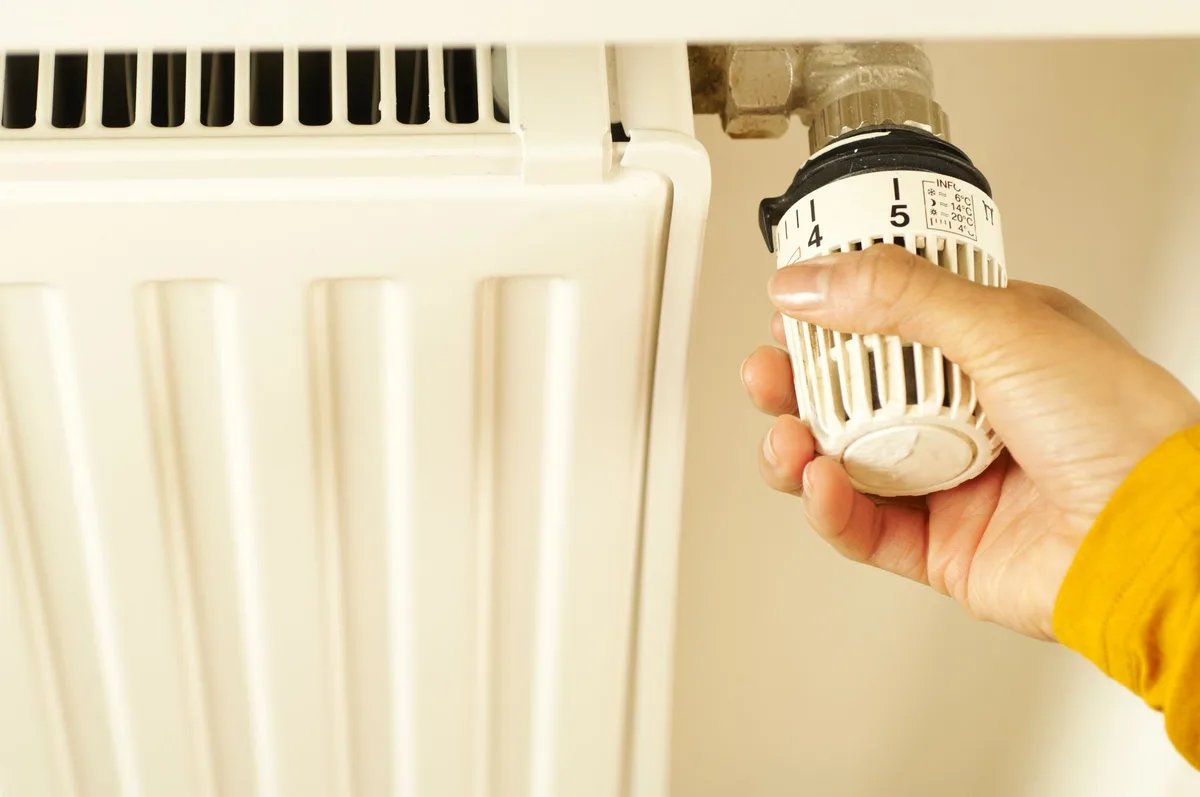
Step 2: Remove the faceplate
Most thermostats have a small tab or slot on the bottom edge. Gently pull the faceplate away from the wall plate. It should detach without any tools.
If it resists, check for a hidden release button or screw.
Step 3: Note the orientation
Each battery slot has a plus and minus marking. Take a photo with your phone before removing the old batteries. This prevents confusion during reinstallation.
Step 4: Replace with fresh batteries
Use name-brand alkaline or lithium cells. Avoid mixing old and new batteries. Replace all batteries at the same time.
Mixing chemistries can cause leakage or inconsistent voltage.
Step 5: Reattach and test
Snap the faceplate back onto the wall plate. Wait for the display to power on. Check that your thermostat shows the correct temperature and responds to button presses.
If you have a smart thermostat, open the app and confirm it is connected.
Step 6: Reset the low battery warning
Some thermostats require you to press a button to clear the low battery icon. Others reset automatically. Check your manual if the warning persists after replacement.
When to Upgrade to a C-Wire or Adapter Kit
If you are replacing batteries every six months, a C-wire upgrade is worth considering. The C-wire provides continuous 24-volt power to your thermostat. It eliminates the need for batteries as the primary power source.
What is a C-wire?
A C-wire, or common wire, is a low-voltage wire that runs from your HVAC system to your thermostat. It supplies constant power. Thermostats with a C-wire use batteries only as backup during power outages.
How to check if you have a C-wire
Turn off your HVAC system at the breaker. Remove the thermostat faceplate. Look at the wire terminals.
You should see letters like R, W, Y, G, and possibly C. If you see a wire connected to the C terminal, you have a C-wire.
C-wire adapter kits
If you do not have a C-wire, you can install an adapter kit. These kits connect at your furnace control board and use existing wires to simulate a C-wire. The kit costs $20 to $40.
Installation takes about 30 minutes.
Manufacturer documentation confirms that adapter kits are compatible with most smart thermostats. They are a reliable solution for homes without a spare wire in the wall.
When to call a professional
If you are uncomfortable working with low-voltage wiring, call an HVAC technician. The cost is $100 to $200 for installation. That is a fair price for avoiding a mistake that could damage your system.
Signs Your Thermostat Batteries Are Dying
Your thermostat gives you several warnings before the batteries die completely. Recognizing these signs early prevents an unexpected system shutdown.
The low battery icon appears
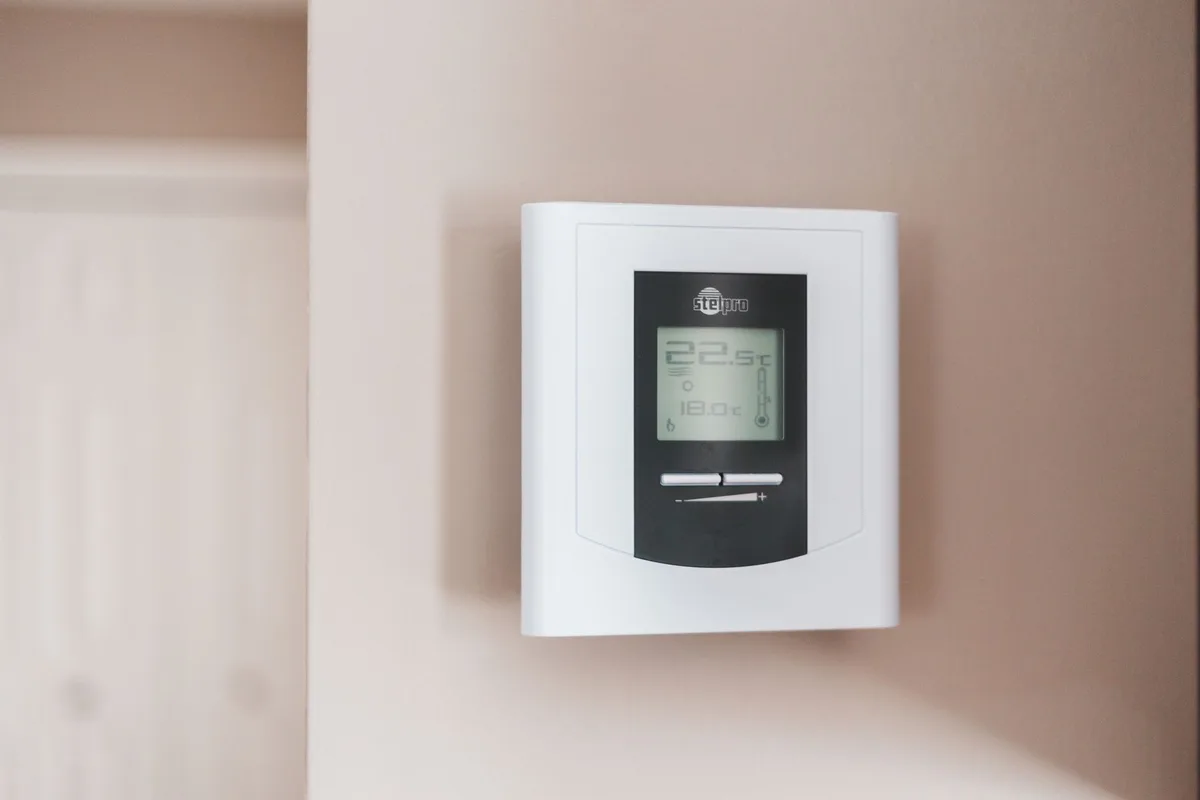
This is the most obvious sign. A battery icon on the display flashes or stays solid. Some thermostats show a percentage in the app.
Below 20 percent, replacement is urgent.
The display dims or flickers
As voltage drops, the screen may appear dimmer than usual. You might notice the backlight is weaker. This is a clear signal that the batteries are near the end of their life.
The thermostat loses Wi-Fi connection
Smart thermostats need a minimum voltage to maintain a Wi-Fi signal. If your thermostat frequently disconnects from the app, check the batteries first. Low voltage is a common cause of intermittent connectivity.
The system does not respond to temperature changes
You set the temperature to 70 degrees, but the system stays off. Or the heat runs past the setpoint. This can happen when the thermostat lacks enough power to operate the relay properly.
The schedule resets or loses programming
When the batteries die completely, the thermostat loses its memory. The schedule resets to factory defaults. You lose all your custom settings.
This is the most frustrating outcome of ignoring a low battery warning.
Frequently Asked Questions
How long do batteries last in a Nest thermostat?
Nest thermostat batteries last 1 to 2 years. With a C-wire, they can last 3 to 5 years because the batteries are used only for backup. Without a C-wire, expect 6 to 12 months depending on Wi-Fi usage.
Can I use rechargeable batteries in my thermostat?
Yes, but with caution. Rechargeable NiMH batteries operate at 1.2 volts instead of 1.5 volts. Some thermostats show a low battery warning earlier with rechargeables.
Check your manual for compatibility before switching.
What happens if my thermostat batteries die completely?
Your thermostat loses power. The display goes blank. The HVAC system stops responding to temperature changes.
Smart thermostats lose Wi-Fi connectivity. Any programmed schedule is erased when the batteries are replaced.
Do all thermostats need batteries?
No. Mechanical thermostats with mercury switches or bimetallic strips operate without any power source. Hardwired thermostats with a C-wire also work without batteries.
Batteries are only needed for digital displays, smart features, and backup power.
How do I know when my thermostat battery is low?
Look for a flashing battery icon on the display. Check your thermostat app for a battery percentage. Watch for dim display, connectivity issues, or unresponsive controls.
These are all signs of low battery voltage.
Is it worth switching to lithium batteries?
For most homeowners, yes. Lithium batteries cost more upfront but last twice as long. They handle cold temperatures better.
They resist leakage. For a smart thermostat without a C-wire, lithium is the best choice.
Final Decision Guide: Choose the Right Setup for Your Home
Here is how to decide what battery setup is best for your situation.
If you have a C-wire: Use alkaline batteries. Replace them every 3 years. You will rarely think about thermostat batteries again.
If you have a smart thermostat without a C-wire: Install a C-wire adapter kit. It pays for itself in battery savings within a year. If you must run on batteries, use lithium cells and expect 12 to 18 months of life.
If you have a traditional programmable thermostat: Use alkaline batteries. Set a calendar reminder for every 12 months. Replace them before winter or summer peak season.
If you have a mechanical thermostat: Check whether it has a battery at all. Most do not. If it does, replace it every 2 years.
If you live in a cold climate: Switch to lithium batteries. They deliver full capacity down to minus 40 degrees. Alkaline batteries lose significant capacity below freezing.
If you want zero maintenance: Hire an electrician to run a C-wire to your thermostat. It is a one-time cost that eliminates battery worries permanently.
The bottom line is simple. Know your thermostat type. Use the right battery chemistry.
Replace batteries on a schedule. Your thermostat will work reliably year after year.


Similar Posts