Why Is My Ceiling Fan Humming but Not Spinning
You’ve flipped the switch, expecting a cool breeze, but instead, you’re met with a persistent hum. Your ceiling fan is making noise, but the blades aren’t moving an inch. This is a common and frustrating problem, especially on a warm day when you need that airflow the most.
But don’t worry, it’s usually not a sign of a completely dead fan. There are several reasons why is my ceiling fan humming but not spinning, and most can be diagnosed and fixed with a little patience and basic troubleshooting.
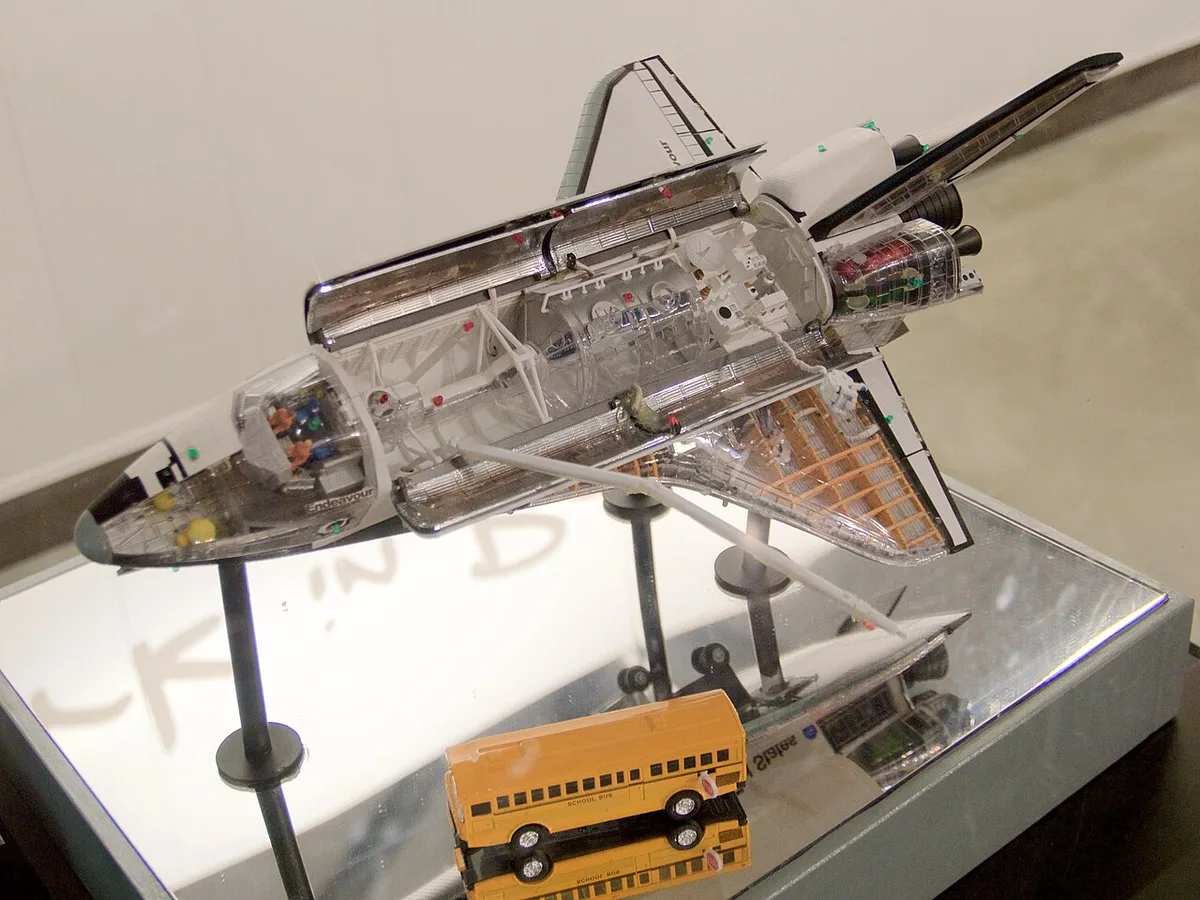
Image source: Wikimedia Commons / Bill Abbott (CC BY-SA)
Many times, the humming sound you hear is the motor attempting to start. It’s getting power, but something is preventing that mechanical motion from happening. This could be anything from a simple dust buildup to a more involved electrical issue.
Understanding the potential culprits is the first step to getting your fan back in working order. We’ll break down the most common causes and walk you through how to address them, so you can enjoy that much-needed airflow again.
The Anatomy of a Humming Fan: Common Causes
When your ceiling fan hums but remains stationary, it’s essentially a cry for help from its motor. This isn’t a random malfunction; it’s usually a symptom of specific components failing to do their job. Let’s explore the most frequent offenders.
1. The Fan Capacitor: The Heartbeat of the Motor
If I had to put money on it, the starting capacitor is often the primary reason for this frustrating humming. Think of the capacitor as the fan’s jump-starter. It stores electrical energy and then releases it in a powerful burst to give the motor the initial nudge it needs to overcome inertia and start spinning.
When this capacitor starts to fail, it might still have enough juice to make the motor buzz, but not enough to actually get the blades moving.
This component is crucial for initiating the rotation. Without an adequate energy surge from a healthy capacitor, the motor will just vibrate and hum, struggling against its own resistance and the blades’ weight. I’ve found that capacitors degrade over time due to heat and electrical stress, much like any electronic component.
Their lifespan isn’t infinite, and eventually, they’ll weaken.
When a capacitor is on its last legs, you might notice it bulging or even leaking a sticky substance, though not always. Often, the failure is internal and invisible. The visual inspection is helpful, but the real test is either its performance or a simple continuity test with a multimeter.
Replacing a faulty capacitor is usually a straightforward and cost-effective repair, making it the first place many DIYers, and seasoned technicians, look.
2. Motor Windings: The Electrical Choreography
Inside your ceiling fan’s motor are intricate copper windings. These are essentially electromagnets that, when energized in a specific sequence, create the rotating magnetic field that drives the fan blades. If these windings are damaged, burnt out, or short-circuited, it can impede the motor’s ability to generate enough force to spin.
A humming sound without rotation in this scenario is the motor’s electrical current trying to flow through damaged pathways. It’s an inefficient attempt to create torque. Sometimes, this damage occurs due to overheating.
This could be caused by a failing capacitor that forces the motor to work harder, or perhaps the fan was run at very low speeds for extended periods, trapping heat.
Spotting damaged windings often requires a bit more investigation, and sometimes, it means the motor itself has reached the end of its life. If you notice a burnt smell accompanying the hum, that’s a strong indicator of winding damage. In some cases, a technician might be able to repair windings, but for most modern ceiling fans, replacing the entire motor or the entire fan unit is often more practical and cost-effective.
3. Bearing Seizure: Friction’s Grip
Ceiling fans have bearings that allow the motor shaft and fan blades to rotate smoothly and with minimal friction. Over time, the lubrication in these bearings can dry out, thicken, or become contaminated with dust and debris. When this happens, the bearing can seize up, creating a mechanical lock that the motor, even with a healthy capacitor and windings, can’t overcome.
The hum you’re hearing is the motor trying valiantly to spin, but the seized bearings present too much resistance. It’s like trying to push a heavy door that’s stuck shut; you can apply force, but without freeing the obstruction, it won’t budge. This is a purely mechanical problem, not electrical.
You might also hear a grinding or squeaking noise in addition to the hum if the bearings are starting to fail. If you can safely manually rotate the fan blades (with the power OFF, of course!), and they feel stiff, gritty, or completely stuck, this is a strong indicator of bearing issues. Sometimes, lubricating the bearings can free them up, but if the damage is severe, the bearings may need to be replaced, which can be a more involved repair.
4. Loose Connections and Wiring Issues: The Flow Interrupted
Even the most robust components can be rendered useless if the electrical signals can’t reach them properly. Loose wire connections, frayed wires, or faulty splices within the fan’s housing or at the ceiling junction box can disrupt the flow of electricity. This means the motor might receive partial power or no power at all, leading to that dead hum.
The humming could be the motor’s reaction to a weak or intermittent electrical signal. It’s trying to interpret the incoming energy, but it’s not enough to initiate rotation. This is particularly dangerous because loose electrical connections can create arcing and pose a fire hazard.
Safety is paramount here; always ensure the power is completely off at the breaker before investigating any wiring.
You might encounter this after a recent installation or if the fan has been subjected to vibrations over time. A thorough check of all wire nuts, terminal screws, and internal wiring harnesses is essential. Sometimes, a simple tightening of a loose connection is all that’s needed.
If you see any signs of scorching or melting around the connections, it’s a clear sign of a problem that likely requires professional attention.
5. Ceiling Fan Remote Control or Wall Switch Malfunction: The Signal Blocker
Modern ceiling fans often come with remote controls or are integrated into smart home systems, which can add another layer of complexity. If your fan is controlled by a remote, a dead battery, a faulty receiver in the fan, or an issue with the remote itself could be the culprit. Similarly, if the fan is on a dimmer switch or a specialized wall control, that control unit might be malfunctioning and not sending the correct signal or sufficient power to the fan motor.
The hum would be the fan’s motor receiving some power or a signal that it should be on, but it’s not the right kind of power or signal to start the rotational process. It’s like trying to start a car by just turning the key a tiny bit; you get a click or a whir, but not the engine roar. The remote or switch, in this case, acts as the gatekeeper.
If your fan has a wall switch, try flipping it off and on a few times. For remote-controlled fans, replace the batteries in the remote first. If that doesn’t work, you might need to check the fan’s receiver unit, usually located in the ceiling canopy.
This often involves some basic electrical diagnosis. For wall switches, especially dimmers, if they are not fan-rated, they can cause humming or other issues.
6. Overheating Protection: A Self-Imposed Pause
Many ceiling fan motors are equipped with thermal overload protection. This feature is designed to shut off the motor automatically if it starts to overheat, preventing potential damage or fire. If the motor has recently been working excessively hard, or if there’s a minor issue causing it to generate more heat than usual, this protection mechanism might kick in, causing the fan to stop and hum.
When the thermal protector trips, it essentially interrupts the circuit to the motor. It might stay tripped until the motor cools down, but if the underlying cause of the overheating isn’t addressed, it will just trip again. The humming could be the motor trying to restart after it has cooled sufficiently, but if the issue persists, the protector will shut it down again.
This is often a secondary symptom. The fan hums and not spins because the overheating protection has engaged. You’ll need to identify why it’s overheating in the first place.
Is it dust buildup on the blades reducing airflow? Is the motor struggling due to a weak capacitor or bearing issue? Once you fix the root cause of the overheating, the thermal protector should stop tripping.
7. Dust and Debris Buildup: The Unseen Obstruction
While seeming minor, excessive dust and grime accumulation within the motor housing or on the fan blades can contribute to a fan’s inability to spin. Dust acts as an insulator, trapping heat and making the motor work harder. It can also gum up the bearings, increasing friction.
Thick layers of dust can physically impede the fan blades from moving freely, especially if it has accumulated around the motor housing or where the blades attach. The motor might hum with the effort of trying to push through this obstruction. It’s like trying to pedal a bike when the chain is completely caked in mud and grit; it’s going to resist movement.
Regular cleaning is key to preventing this. A good dusting of the blades, motor housing, and any accessible internal components can often resolve this issue. This is one of the easiest and cheapest potential fixes, so it’s always worth a look.
Troubleshooting Steps: A Practical Guide to Diagnosing Your Fan
Now that we know the potential causes, let’s get practical. Here’s a step-by-step approach to diagnosing why your ceiling fan is humming but not spinning. Remember, safety first!
Always turn off the power to the fan at the circuit breaker before you begin any hands-on investigation.
Step 1: Safety First – Power Off!
This cannot be stressed enough. Before touching any part of the fan, especially if you suspect wiring issues, go to your home’s electrical panel and shut off the breaker that controls the ceiling fan. Double-check that the fan is indeed off by trying to operate it from the wall switch or remote.
If it doesn’t respond at all, you’ve likely found the right breaker.
This prevents any risk of electrical shock, which can be severe or even fatal. Working with electricity requires respect and caution. Don’t take shortcuts.
Step 2: Visual Inspection – Look for the Obvious
With the power safely off, carefully inspect the fan. Look for any obvious signs of damage.
- Blades: Are they bent, warped, or loose? Is there any obstruction preventing them from moving freely?
- Motor Housing: Do you see any scorch marks, melted plastic, or signs of leakage?
- Capacitor (if visible): Sometimes, you can see a bulging or leaking capacitor through vents or by removing a housing cover.
- Wiring: Check for any loose connections, frayed wires, or signs of burning at the point where the fan connects to the ceiling wiring.
A simple visual check can sometimes reveal the problem immediately, saving you a lot of time and effort.
Step 3: Manually Spin the Blades – Test for Mechanical Resistance
Gently try to rotate the fan blades by hand. With the power off, they should spin relatively freely. If you feel significant resistance, grinding, or if the blades stop abruptly, it strongly suggests a problem with the motor bearings or possibly a physical obstruction within the motor.
If the blades feel very stiff or won’t move at all, it points towards seized bearings or a mechanically bound motor. This is a good indicator that the issue is not purely electrical; there’s a mechanical component preventing rotation.
If the blades spin freely, then you can rule out mechanical binding as the primary cause, and the issue is more likely electrical, pointing towards the capacitor or motor windings.
Step 4: Check the Capacitor – The Most Common Culprit
This is where many humming-fan issues are resolved. You’ll likely need to remove the fan’s motor housing or a specific cover plate to access the capacitor. Capacitors are usually small, cylindrical, or rectangular components with two or more wires.
Important Note: Even when the power is off, capacitors can hold a residual electrical charge. It’s good practice to discharge a capacitor before handling it. You can do this by carefully using an insulated screwdriver to bridge the terminals, or by using a specific discharge tool.
Once you can access it:
- Note the existing capacitor’s specifications: Look for the microfarad (µF) rating and voltage rating (e.g., 5µF + 4µF, 350V).
- Visually inspect: Look for bulging, leaking, or any physical damage.
- Test (Advanced): If you have a multimeter with a capacitance testing function, you can test the capacitor. Compare the reading to its rated value. If it’s significantly lower or shows no reading, it’s faulty.
- Replace if suspect: If you’ve made it this far and suspect the capacitor (especially if it looks damaged or you’re not comfortable testing it), replacing it with one of the exact same specifications is often the quickest DIY fix. You can find these online or at electrical supply stores.
Replacing this component often resurrects a humming-but-not-spinning fan.
Step 5: Investigate the Motor – Windings and Bearings
If the capacitor appears fine and the blades spin freely, the problem might lie deeper within the motor.
- Motor Windings: As mentioned, damage here is harder to diagnose without specialized tools and knowledge. If you notice any signs of burnt insulation or smell an electrical burning odor, the windings are likely damaged. Unfortunately, this often means replacing the motor or the entire fan.
- Bearings: If manual rotation felt stiff or gritty, the bearings are suspect. Depending on the fan model, bearings might be serviceable. You might be able to apply a light machine oil or a specialized bearing lubricant to see if it eases friction. However, if they are severely worn or seized, replacement might be necessary, which can be a complex repair for many fans.
Step 6: Examine the Remote Control and Receiver (If Applicable)
If your fan has a remote, try replacing the batteries. If that doesn’t work, the issue might be the receiver unit tucked away in the fan’s canopy. Accessing this usually involves removing the canopy that covers the ceiling wire connections.
Check the wiring connections to the receiver unit. Ensure they are secure and free from corrosion. You may need to consult your fan’s manual for specific troubleshooting steps related to the receiver.
Sometimes, a faulty receiver will exhibit symptoms like this.
Step 7: The Wall Switch and Dimmer Considerations
If your fan is controlled by a wall switch, ensure it’s functioning correctly. If it’s a dimmer switch, especially one not designed for ceiling fans, it can cause humming and reduce motor efficiency. Always use fan-rated switches.
If you suspect the switch, temporarily bypass it or replace it with a standard on/off switch to test.
Ceiling fans are designed to run on standard AC power. Dimmer switches reduce voltage, and this fluctuating power can cause the motor to struggle, leading to humming without sufficient torque to start.
Step 8: When to Call a Professional
If you’ve gone through these steps and are still unsure, or if you encounter anything that makes you uncomfortable (like signs of electrical burning, complex wiring, or if you simply don’t have the right tools like a multimeter), it’s time to call a qualified electrician or a ceiling fan repair specialist.
Some issues, like severely damaged motor windings or complex electronic control boards, are beyond the scope of basic DIY repair. An expert can quickly and safely diagnose the problem and provide a solution, whether it’s a repair or recommending a replacement.
Deep Dive into Specific Fan Models and Brands
While the core reasons for a humming, non-spinning fan remain consistent, there can be minor variations depending on the brand and type of ceiling fan.
Common Issues with Hunter Fans
Hunter is a venerable name in ceiling fans, known for its durability. However, like any mechanical device, they can develop issues. A common culprit for a humming Hunter fan that won’t spin is a worn-out capacitor.
These fans often have accessible capacitors, making them relatively easy to replace. If you have a Hunter fan and it’s humming, checking the capacitor is usually your first and best bet.
Troubleshooting Casablanca Fans
Casablanca fans are often considered higher-end and may incorporate more sophisticated electronics or specialized motor designs. For these fans, a malfunctioning remote receiver can be a frequent cause of humming. Also, due to their often robust construction, bearing issues can also arise over extended periods of use, leading to a seized motor.
Emerson Fan Quirks
Emerson fans, much like others, can experience capacitor failures. However, some models might have unique internal wiring configurations or motor mounts that can make access to components slightly more challenging. If you’re working on an Emerson fan, having the specific model’s manual can be incredibly helpful.
Unique Features and Their Impact
- Light Kits: If your fan has an integrated light kit, a short circuit in the light wiring could potentially affect the motor’s power supply, leading to humming. Ensure all connections for the light kit are secure and no wires are pinched.
- DC Motors: Newer fans often use DC (Direct Current) motors, which are more energy-efficient. These motors have different starting mechanisms and often use external drivers or transformers. If a DC fan is humming but not spinning, the issue could be with the DC motor itself, the power supply, or the motor driver module. Diagnosing DC motor issues typically requires more specialized electrical knowledge and tools.
- Reverse Functionality: Some fans have a reverse switch, usually located on the fan body. If this switch is faulty or in an intermediate position, it could prevent the motor from engaging correctly.
When is it Time to Replace Your Fan?
While many humming fans can be repaired, there comes a point where replacement might be the more sensible option.
- Age of the Fan: If your fan is over 10-15 years old, its components are likely nearing the end of their natural lifespan. Replacing a single part might just be a temporary fix, and other components could fail soon after.
- Cost of Repair vs. Replacement: Compare the cost of replacement parts (capacitor, new switch, etc.) plus your time and effort against the cost of a new, potentially more efficient fan. If the repair cost is approaching half the price of a new fan, replacement might be wiser.
- Safety Concerns: If you find significant burning, melted components, or suspect structural issues with the mounting, it’s not worth the risk of repairing. A new fan will ensure safe operation.
- Outdated Technology: Newer fans often offer better energy efficiency, quieter operation, and additional features like smart home integration. If your old fan is struggling, an upgrade might be beneficial.
Frequently Asked Questions About Humming Ceiling Fans
Q1: Can a ceiling fan hum if it has too many blades?
No, the number of blades itself doesn’t cause humming. The humming is an indication of a motor issue, not blade configuration. While more blades might require a stronger motor, they don’t inherently cause the motor to hum and stop.
Q2: How long does it take for an overheating fan to restart?
This can vary depending on the fan and the extent of overheating. The thermal overload protector will disengage when the motor cools down sufficiently. This might take anywhere from a few minutes to an hour.
However, if the underlying cause of overheating isn’t fixed, it will likely just shut off again.
Q3: Is it safe to use a ceiling fan that hums intermittently?
An intermittent hum can be a sign of an impending failure. It’s often best to investigate and address the issue promptly. Continuing to use a fan that hums intermittently could lead to more significant damage or pose a safety risk, especially if it’s an electrical issue.
Q4: Where is the ceiling fan capacitor located?
The capacitor is typically found inside the motor housing or within a dedicated compartment in the fan’s canopy. You usually need to remove a cover plate or the entire motor housing to access it. Your fan’s manual should provide a diagram.
Q5: What kind of tools do I need to fix a humming ceiling fan?
For basic diagnosis and replacement of a capacitor, you’ll likely need a screwdriver set (Phillips and flathead), possibly a nut driver set, a ladder, and a multimeter if you plan to test components. Always ensure you have insulated tools when working with electrical components. Wire strippers and wire connectors might also be useful for any minor wiring adjustments.
Q6: Can a loose blade cause the fan to hum?
A loose blade primarily causes wobble and noise, but it’s unlikely to cause the fan to hum and not spin. The motor is responsible for the rotation itself. However, a severely unbalanced or loose blade might add extra strain, which could contribute to a motor issue, but it’s not the primary cause of the hum.
Q7: What if my fan hums and then starts to spin slowly?
If the fan hums and then spins very slowly, it’s often an indication of a weakening capacitor or a bearing that’s starting to seize. The capacitor might have just enough power to get the motor rotating, but not enough to reach full speed. Similarly, a partially seized bearing presents enough resistance to limit the fan’s RPM.
Conclusion: Getting Your Airflow Back
Discovering that your ceiling fan is humming but not spinning can be a real inconvenience. However, by systematically working through the potential causes, from the common failing capacitor to mechanical issues like bearings or electrical faults, you can often pinpoint the problem. Remember to always prioritize safety by shutting off power at the breaker before any inspection or repair.
Many times, a simple capacitor replacement or tightening a loose wire can bring your fan back to life. If you’re uncomfortable with any of the diagnostic steps or if the issue seems complex, don’t hesitate to call in a professional. Getting your ceiling fan working properly again is usually achievable, allowing you to enjoy a comfortable and well-circulated living space.
Addressing why is my ceiling fan humming but not spinning often leads to a straightforward fix, restoring that essential breeze to your home.


Similar Posts