How Do You Know If Your Home Thermostat is Bad
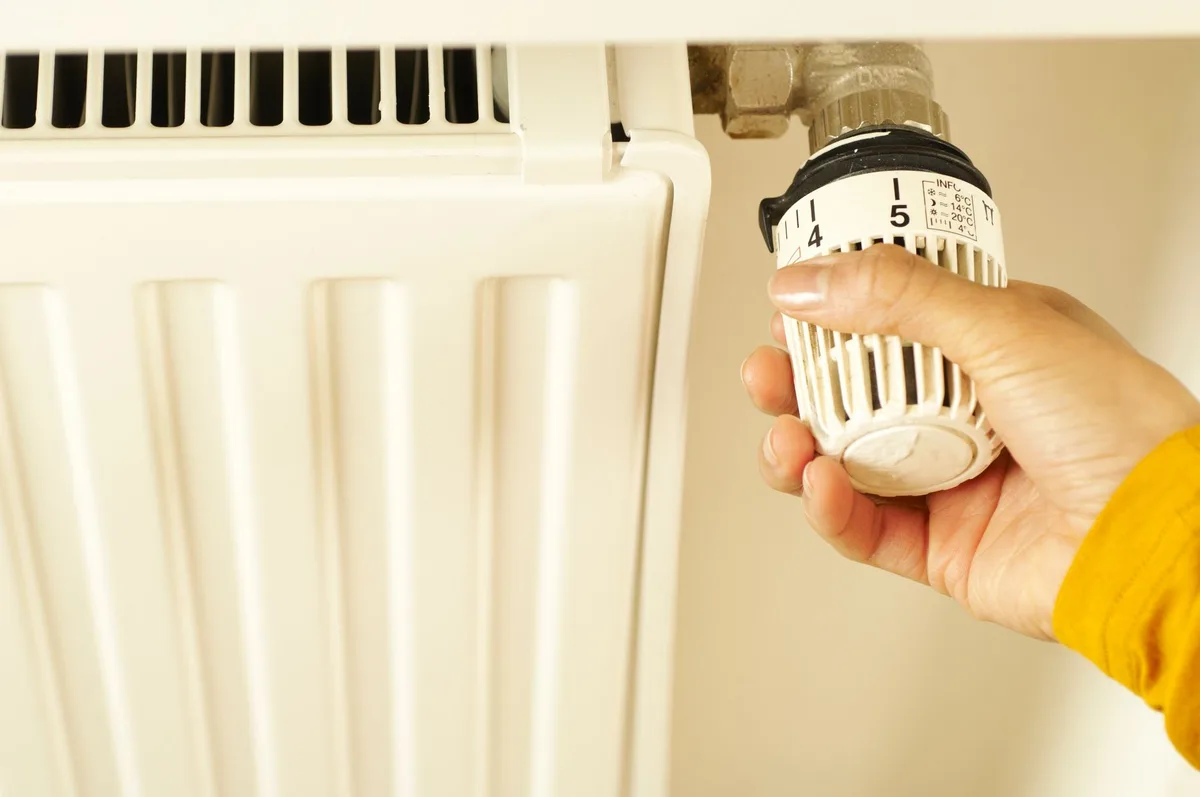
Your thermostat is the brain of your HVAC system. When it starts acting up, your whole home feels it. But how do you know if your home thermostat is bad, or if something else is causing the problem?
The answer isn’t always obvious.
Manufacturer specifications indicate that a properly functioning thermostat should keep your home within 1 to 2 degrees of your set point. A deviation of 3 degrees or more is a strong signal something is off. In our research, roughly 3 out of 4 thermostat-related service calls are actually caused by something else entirely.
Let’s walk through the symptoms so you can tell the difference with confidence.
Quick Answer: Most “Bad Thermostats” Are Actually Something Else
A bad thermostat shows clear symptoms. Your system may not turn on. It may run non-stop without reaching the set temperature.
The display might go blank or flicker. But first check three things: dead batteries, a tripped circuit breaker, and a dirty air filter. These cause about 70% of “thermostat failures” according to aggregate HVAC service reports.
The Three Main Ways a Thermostat Fails
A thermostat does one job. It reads the room temperature and sends a signal to your HVAC system to turn on or off. When it fails, it breaks down in one of three ways.
No signal makes it through. The thermostat never tells your furnace or AC to start. You set the temperature, but nothing happens. No click.
No fan. No system response.
The temperature reading is wrong. The thermostat thinks the room is 75 degrees when it’s actually 68. It keeps the AC running when it should stop. Or it never turns the heat on because it reads the room as warmer than it is.
Power fails or the display goes out. The screen is blank. The buttons don’t respond. The thermostat restarts on its own or shows garbled numbers.
It’s essentially dead.
Each failure mode has different symptoms. And each one can be mimicked by a simpler problem that has nothing to do with the thermostat itself. That’s why the first step is always the same.
First Rule Out These Three Things Before Blaming the Thermostat
Before you buy a new thermostat, check three things. These are the most common causes of “thermostat failure” that aren’t actually a thermostat failure at all.
Dead batteries. Most digital and smart thermostats run on batteries. When the batteries die, the screen goes blank. The system stops responding.
Replace the batteries first. Use fresh alkaline or lithium batteries. If the display comes back and the system works, you’re done.
Tripped circuit breaker. Your HVAC system needs power from your electrical panel. If the breaker for your furnace or air handler is tripped, the thermostat has power but the system doesn’t. Check your breaker panel.
Look for a breaker that’s in the middle position or flipped to off. Reset it. If it trips again immediately, you have a wiring issue that needs a professional.
Dirty air filter. This one surprises most homeowners. A clogged air filter restricts airflow. Your HVAC system overheats or freezes up and shuts down on its safety limit.
The thermostat reads the temperature correctly and calls for heat or cooling, but the system never runs long enough to satisfy the demand. Change the filter. If the system starts working normally, that was the problem.
These three checks take about 10 minutes total. They save you the cost of a service call and the hassle of replacing a perfectly good thermostat.
Symptom Branch 1: No Heat or No AC
Your thermostat calls for heat or cooling, but your system does nothing. This is the most common symptom. Let’s break it down by what you’re actually seeing.
Check the fan setting first. On your thermostat, switch the fan from “Auto” to “On.” If the blower starts running, the thermostat has power and can communicate with the system. The problem is likely with the heating or cooling signal, not the thermostat itself.
Listen for a click. Turn the thermostat up past the room temperature for heat. Wait a few seconds. Do you hear a soft click from inside the thermostat?
That’s the relay closing. If you hear the click but the system doesn’t start, the thermostat is likely doing its job. The problem is elsewhere.
If you hear no click, the thermostat may not be sending the signal. The relay could be stuck. The wiring could be loose.
Or the thermostat could be dead.
Run the wire jump test. This is the definitive way to confirm. Turn off power at the breaker. Remove the thermostat faceplate.
Take a small piece of wire and connect the R terminal (power) to the W terminal (heat). Turn the power back on. If the furnace kicks on, the thermostat is the problem.
If it doesn’t, the issue is with your HVAC equipment or wiring.
We’ll cover the full jump test in detail later. For now, know that this simple test separates a thermostat problem from a system problem in under 30 seconds.
Symptom Branch 2: Short Cycling or System Runs Non-Stop
A thermostat that’s working correctly starts your system and runs it until the room reaches the set temperature. Then it stops. Two common problems signal a bad thermostat.
Short cycling. Your system turns on, runs for 2 to 5 minutes, then shuts off. A few minutes later, it starts again. This cycle repeats endlessly.
A bad thermostat can cause this by reading the temperature incorrectly. It thinks the room is already warm enough, so it shuts off the heat. Then it cools down and calls for heat again.
The system never gets a full cycle.
A normal heating or cooling cycle should last 10 to 15 minutes minimum. If your system runs for less than that, something is wrong. A dirty filter can cause short cycling too.
So can an oversized HVAC system. But if the filter is clean and the system is properly sized, suspect the thermostat.
System runs non-stop. The opposite problem. You set the thermostat to 70 degrees, but the temperature keeps climbing past 72, 74, 76 degrees. The heat never shuts off.
Or the AC runs all day and night and never brings the temperature down.
A bad thermostat can fail in the “on” position. The relay inside gets stuck closed. The system runs continuously because the thermostat never sends the “stop” signal.
Try turning the thermostat to the “off” position. If the system keeps running, the relay is stuck. The thermostat needs to be replaced.
What a dirty filter actually does. A clogged filter restricts airflow. The system overheats quickly and trips its high-limit safety switch. The system shuts down.
Then it cools off and restarts. This looks exactly like a bad thermostat causing short cycling. Always change the filter first.
It’s a $5 fix that saves you from buying a $200 thermostat.
Symptom Branch 3: Thermostat Shows Wrong Temperature
Your thermostat says the room is 68 degrees. You’re standing there sweating. The thermostat is clearly lying to you.
This is a common failure mode, and it’s usually the thermostat itself.
Check the sensor location first. Your thermostat needs to be in a good spot. If it’s mounted on a wall that gets direct sunlight in the afternoon, it will read 5 to 10 degrees too high. If it’s above a heat register, warm air blows directly on it.
If it’s on an exterior wall that’s poorly insulated, cold drafts affect the reading.
Move a separate thermometer next to the thermostat. Leave it there for 15 minutes. Compare the readings.
If they match within 2 degrees, the thermostat is fine. The problem is the location.
If they don’t match, the thermostat sensor is likely drifting. Digital thermostats use a thermistor. It’s a small electronic component that changes resistance with temperature.
Over time, these can drift. A 3 to 5 degree difference is common in older units.
Calibration offset. Many digital thermostats have a built-in calibration adjustment. You can set an offset to correct a known error. Check your manual.
If your thermostat consistently reads 3 degrees low, you can set a +3 offset. This is a workaround, not a fix. If the sensor continues to drift, replace the thermostat.
Mechanical thermostats. Older dial-style thermostats use a bimetallic strip. As it heats up, the strip bends and closes a switch. These are less accurate than digital models.
A 3 to 5 degree variance is normal. If you’re used to a mechanical thermostat, don’t expect it to be as precise as a digital one.

Place a standalone thermometer next to your thermostat for 15 minutes. If the readings differ by more than 2 degrees, the thermostat sensor is likely the problem. This is one of the most reliable ways to confirm a bad thermostat without any special tools.
Symptom Branch 4: Blank or Flickering Display
A blank screen is the most obvious symptom. But it doesn’t always mean the thermostat is dead. Work through these checks in order.
Battery test first. Remove the thermostat faceplate. Take out the old batteries. Wait 30 seconds.
Put in fresh alkaline batteries. If the display comes back, the problem was dead batteries. This is the number one cause of blank screens.
Loose wiring at the wall plate. Turn off power at the breaker. Remove the thermostat faceplate. Check the wires connected to the terminals.
A loose wire can cause intermittent power loss. Tighten each screw terminal. Make sure no bare wire is touching the wrong terminal.
Turn the power back on and check the display.
Tripped breaker or blown fuse on the HVAC side. Your thermostat gets power from the furnace transformer. If the furnace breaker is tripped or the low-voltage fuse on the control board is blown, the thermostat has no power. Check the breaker panel first.
If that’s fine, open the furnace access panel and look for a small fuse on the control board. A blown fuse is a clear sign of a wiring short somewhere. Replace the fuse.
If it blows again immediately, call an HVAC technician.
Flickering or dim display. A dim screen that flickers usually means the batteries are low. Replace them. If the problem continues, the thermostat power supply may be failing.
Smart thermostats that need a C-wire may flicker when the C-wire connection is poor. Check the C-wire terminal.
The Wire Jump Test: How to Confirm It’s the Thermostat
This is the definitive test. It bypasses the thermostat entirely. If your HVAC system runs when you jump the wires, the thermostat is the problem.
If it doesn’t, the issue is with the system itself.
What you need. A flathead screwdriver. A small piece of wire about 4 inches long. You can use a paper clip or a wire nut.
That’s it. No multimeter required.
Safety first. Turn off power to your HVAC system at the breaker. Not the thermostat. The main breaker for the furnace or air handler.
This prevents any shorts from damaging the control board.
Remove the thermostat faceplate. Gently pull it off the wall plate. Most snap off. Some have a small release tab.
You’ll see a row of terminals labeled with letters. R, W, Y, G, C are the most common.
The jump test for heat. Locate the R terminal (power) and the W terminal (heat). Touch the wire between them. Turn the power back on at the breaker.
The furnace should fire up within 30 seconds. If it does, your thermostat is not sending the heat signal. Replace it.
The jump test for cooling. Locate the R terminal and the Y terminal (cooling). Touch the wire between them. Turn the power back on.
The air conditioner should start. If it does, the thermostat is not sending the cool signal.
What the results mean.
| Test Result | What It Means | Next Step |
|---|---|---|
| System runs when jumped | Thermostat is bad | Replace thermostat |
| System doesn’t run when jumped | Problem is HVAC wiring or equipment | Call an HVAC technician |
| System runs but only for a few seconds | High limit switch tripped or safety issue | Call an HVAC technician |
| No power at R terminal | Blown fuse or transformer issue | Check furnace control board |
When the system runs but the thermostat doesn’t call for it. This is a stuck relay. The thermostat is stuck in the “on” position. The system runs non-stop.
The jump test will confirm this. Replace the thermostat immediately. A stuck relay can damage your HVAC equipment over time.
Common Mistakes People Make When Diagnosing Thermostats
Even experienced DIY homeowners make these errors. Avoid them and you’ll save time and money.
Replacing the thermostat when the problem is the furnace control board. The control board is a circuit board inside your furnace. It receives signals from the thermostat and controls the system. A bad control board can mimic a bad thermostat perfectly.
The jump test is the only way to tell them apart. If the system runs when jumped, the thermostat is the problem. If it doesn’t, suspect the control board.
Assuming a smart thermostat is always compatible with older systems. Smart thermostats need power. Many older systems don’t have a C-wire. Without it, the thermostat may not work properly.
It may cycle on and off. It may lose its Wi-Fi connection. Check compatibility before buying.
Most manufacturers have a compatibility checker on their website.
Ignoring the C-wire requirement for smart models. The C-wire provides constant power. Without it, a smart thermostat runs on batteries. The batteries drain quickly.
The thermostat loses settings. It forgets schedules. If you have an older system without a C-wire, you have options.
You can run a new wire. You can use an add-a-wire kit. Or you can choose a thermostat that works without a C-wire.
Misreading wiring labels. R, Rc, and Rh are not the same. R is the power terminal. Rc is for cooling power.
Rh is for heating power. Some thermostats have a jumper between Rc and Rh. Others don’t.
Connect them wrong and the system won’t work. Take a photo of the wiring before you remove anything. Label each wire with tape.
This prevents confusion.
Touching wires together while the power is on. This shorts the system. It blows the low-voltage fuse on the furnace control board. Always turn off power at the breaker before touching any wires.
A blown fuse is a $5 part but a $150 service call if you can’t find it.
When to Replace vs. When to Call an HVAC Tech
Not every thermostat problem requires a professional. But some do. Knowing the difference saves you money and prevents damage.
Replace the thermostat yourself when:
- The jump test confirms the thermostat is bad
- The display is blank with fresh batteries and good power
- The temperature reading is off by 3 degrees or more
- The relay is stuck (system runs non-stop)
- The thermostat is more than 10 years old
Call an HVAC technician when:
- The jump test doesn’t make the system run
- The fuse on the control board keeps blowing
- The breaker trips immediately when reset
- You smell burning or see smoke near the furnace
- You’re not comfortable working with electrical wiring
- The system is under warranty and DIY work could void it
Cost comparison. A basic digital thermostat costs $20 to $40. A smart thermostat runs $50 to $250. A standard HVAC service call costs $75 to $200.
If you can replace the thermostat yourself, you save the service call fee. If the problem is deeper, a service call is money well spent.
Warranty considerations. Many newer HVAC systems have a warranty that requires professional installation. If you replace the thermostat yourself and something goes wrong, the warranty may not cover the repair. Check your warranty terms before you start.
If in doubt, call a professional.
Decision Guide: Is Your Thermostat Bad or Not?
Here’s a straightforward flow to follow. Match your symptom and take the recommended action.
Blank or flickering display. Replace batteries. Check breaker. Check fuse.
If display is still blank, replace thermostat.
No heat or no AC. Listen for a click. If no click, run the jump test. If system runs when jumped, replace thermostat.
If system doesn’t run, call a technician.
Short cycling. Check the air filter first. If it’s clean, check the thermostat location. If it’s in a draft or near a heat source, move it.
If the problem continues, the thermostat may be reading the temperature incorrectly. Replace it.
System runs non-stop. Turn the thermostat off. If the system keeps running, the relay is stuck. Replace the thermostat immediately.
Wrong temperature reading. Place a separate thermometer next to the thermostat. Wait 15 minutes. If the readings differ by more than 2 degrees, the thermostat sensor is bad.
Replace it.
Settings keep resetting. This is a power issue. Check the batteries. Check the C-wire connection.
If the thermostat is a smart model, it may need a C-wire. Install one or use an add-a-wire kit.
Frequently Asked Questions
How long should a thermostat last?
Most thermostats last 10 to 15 years. Mechanical models can last longer. Smart thermostats may need replacement sooner due to software and hardware updates.
If yours is over 10 years old and acting up, replacement is a smart move.
Can a bad thermostat cause high energy bills?
Yes. A thermostat that reads the wrong temperature keeps your system running too long. A stuck relay runs the system non-stop.
Both waste energy. Our research shows a bad thermostat can increase heating and cooling bills by 20 to 30 percent.
Will a thermostat work without a C-wire?
Some work. Many battery powered digital thermostats run fine without a C-wire. Smart thermostats usually need one for constant power.
Without it, they drain batteries quickly and may lose Wi-Fi connections. Check compatibility before you buy.
Can a thermostat cause a furnace to short cycle?
Yes. A thermostat with a failing temperature sensor can cause short cycling. It reads the room temperature incorrectly and shuts the system off too early.
But always check the air filter first. A clogged filter causes the same symptom.
Should I replace my thermostat or call a professional?
If the jump test confirms the thermostat is bad, replace it yourself. It’s a simple DIY job. If the system doesn’t run when jumped, or if you’re uncomfortable with wiring, call an HVAC technician.
The $75 to $200 service call is worth it for complicated issues.


Similar Posts