How To Reset Furnace Thermostat
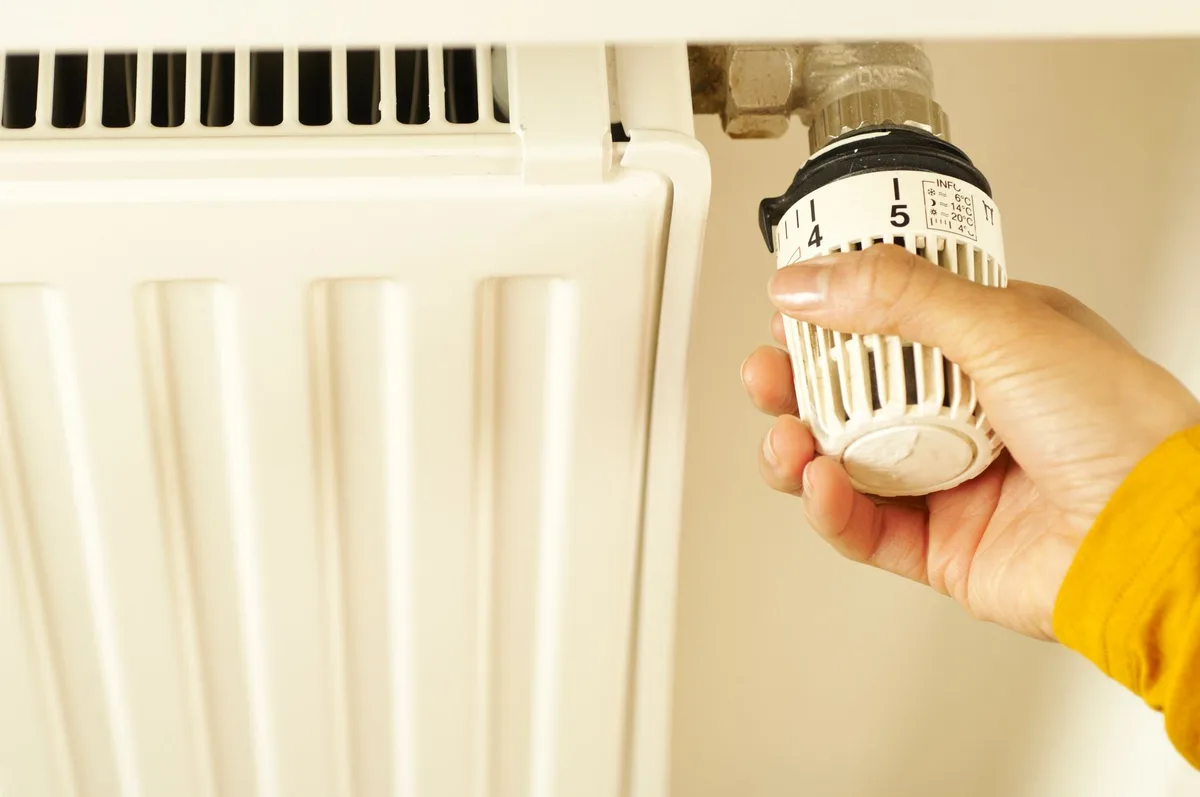
Your furnace won’t turn on. The house is getting cold. And the thermostat screen is either blank or doing something that makes no sense.
If you’re searching for how to reset furnace thermostat, you’re in the right place.
Our research shows that the reset process is the first troubleshooting step recommended by every major thermostat manufacturer before you call a technician. It’s also the most common fix for a furnace that won’t fire up. Let’s walk through exactly what to do.
When Your Furnace Won’t Turn On — Start Here
Let’s get one thing straight right away. A furnace that refuses to run isn’t always broken. Often, the thermostat is just confused.
Here’s what typically happens. A power surge passes through your home. A storm knocks the electricity out for a split second.
Or you replace the batteries, and the thermostat forgets its settings. In those moments, the thermostat needs a hard reset to reconnect with the furnace.
Think of it like a computer that froze. You don’t throw it away. You hold the power button until it shuts down, then start it again.
The thermostat works the same way.
If you’re dealing with a blank screen, the fix is usually even simpler. Dead batteries are the culprit in roughly one out of every three “no heat” calls. Before you do anything else, check if the display lights up when you press a button.
Quick Answer: The Two Most Common Resets
There are two basic ways to reset a furnace thermostat. Try them in this order.
Method 1: Power cycle the thermostat.
Turn off the power to the furnace at the breaker or the dedicated furnace switch. Wait 30 seconds. Turn it back on.
The thermostat should reboot. Set your desired temperature and wait for the furnace to kick on.
Method 2: Remove and reinsert the batteries.
Pop the thermostat faceplate off. Take out the batteries. Wait 30 seconds.
Put fresh batteries in. Snap the faceplate back on. The thermostat resets to its default settings.
Switch it to Heat mode and set the temperature a few degrees above room temperature.
That’s the short version. If your thermostat still won’t respond, you need to check which type you have and follow the correct reset procedure for that model.
Does Your Thermostat Have a Reset Button? (Physical vs. Menu Reset)
Not all thermostats reset the same way. Some have a physical button you can press with a paperclip or a pen tip. Others hide the reset deep inside a settings menu.
Knowing which one you have saves you a lot of frustration.
| Type | Where to Find It | How to Reset It | Best For |
|---|---|---|---|
| Physical reset button | Small recessed hole on the faceplate or side of the thermostat | Insert a paperclip or pin, press and hold for 5 seconds | Older digital thermostats, basic models without a touchscreen |
| Menu reset (software) | Settings or System menu on the touchscreen display | Navigate to Settings > Reset > Factory Defaults (or similar) | Smart thermostats and modern programmable models |
| Battery pull (no button) | No reset button at all | Remove batteries, wait 30 seconds, reinstall | Economy models, basic programmable thermostats |
Physical reset buttons are easy to spot. Look for a small circular hole on the side or bottom edge of the thermostat. It’s often labeled “Reset” in tiny text.
Press and hold it for 5 to 10 seconds with a paperclip.
Menu resets require a few taps. If your thermostat has a touchscreen or a digital display with buttons, check the main menu. Look for a Reset option.
You might see “Factory Reset,” “Restore Defaults,” or “Clear Settings.” Some models ask for a confirmation code. Check your user manual for the exact code.
No button at all? That’s fine. The battery pull method works for most basic thermostats. Just remove the batteries, wait a full 30 seconds, and put them back in.
The thermostat resets automatically.
Step-by-Step: How to Reset a Digital Thermostat
A standard digital thermostat (non-smart, non-Wi-Fi) is the most common type in homes today. Here’s the exact process.
Step 1: Turn off the power.
Go to your circuit breaker panel. Find the switch labeled “Furnace” or “Heater.” Flip it to the Off position. If you can’t find it, use the dedicated furnace disconnect switch near the unit itself.
This step is critical. You don’t want power flowing through the wires while you handle the thermostat.
Step 2: Remove the thermostat faceplate.
Most digital thermostats snap off from the base plate. Pull gently from the bottom or sides. If it doesn’t budge, look for a small release tab or a screw on the bottom edge.
Step 3: Locate the reset button or battery compartment.
Look for the recessed reset hole on the side or back of the thermostat. If there is no reset button, find the battery compartment. It’s usually two or four AA or AAA batteries.
Step 4: Perform the reset.
If there is a reset button: press and hold it with a paperclip for 5 seconds. If there is no button: remove the batteries, wait 30 seconds, install fresh batteries.
Step 5: Reattach the faceplate and restore power.
Snap the faceplate back onto the base. Restore power at the breaker or furnace switch. Wait one minute for the thermostat to boot up.
Step 6: Set the system to Heat.
Press the Mode button until you see “Heat” on the display. Set the temperature to at least 5 degrees above the current room temperature. The furnace should turn on within 60 seconds.
If it doesn’t, wait 5 minutes. The compressor delay is normal.
One more thing. If your thermostat has a programmable schedule, a full reset may clear that schedule. You’ll need to reprogram the time and temperature settings after the reset is complete.
Step-by-Step: How to Reset a Smart Thermostat (Nest, Ecobee, Honeywell Wi-Fi)
Smart thermostats don’t have a physical reset button. Everything happens through the touchscreen or the mobile app. Each brand has its own reset procedure.
Here’s how to handle the three most popular models.
Nest Thermostat
The Nest does not have a hardware reset button. To reset it, go to the main menu on the device. Select Settings (the gear icon).
Scroll to Reset. Choose “Restart” for a soft reset or “Factory Reset” to clear everything. If you choose Factory Reset, the Nest will ask you to confirm by turning the ring and pressing.
After the reset, you’ll need to reconnect it to Wi-Fi and set up your schedule again.
Ecobee Thermostat
On an Ecobee, tap the menu icon (three lines in the top left corner). Scroll down to Settings. Tap Reset.
You’ll see options for “Reset All Settings” and “Reset Schedule.” Choose Reset All Settings for a full reset. The Ecobee will reboot and prompt you to run through the initial setup.
Honeywell Wi-Fi Thermostat
Honeywell’s Wi-Fi models vary by series. On most of them, press the Menu button on the thermostat. Scroll to Preferences.
Look for “Reset” or “Factory Default.” Select it and confirm. Some models require you to hold down the center button and the “Up” arrow simultaneously for 10 seconds. Check your specific model’s user manual if the menu option doesn’t appear.
If the thermostat is unresponsive and the screen is blank, try the battery removal method first. Many smart thermostats have backup batteries. Pull the thermostat off the wall plate, remove the batteries, wait 30 seconds, and reinstall. This forces a hard reboot even if the touchscreen is locked.
After the reset, reconnect the thermostat to your Wi-Fi network. Open the app on your phone. Follow the pairing instructions. This step is essential for remote control and smart features to work.
Step-by-Step: How to Reset an Old Mechanical Thermostat
Mechanical thermostats are a different animal. They don’t have circuit boards, memory chips, or digital displays. They use a simple mercury switch or a bimetallic strip to control the furnace.
If you have a mercury thermostat, handle it carefully. The glass vial contains a small amount of liquid mercury. Breaking it releases toxic material. Do not throw it in the trash.
Most local recycling centers accept mercury thermostats for proper disposal.
The reset process for a mechanical thermostat is straightforward. First, check the temperature setting. Turn the dial or lever a few degrees above the current room temperature.
Listen for a soft click. That click means the thermostat is calling for heat.
If you hear no click, the thermostat may be dirty or faulty. Remove the cover. Look for dust or debris on the metal contacts.
Clean them gently with a soft brush or compressed air. Replace the cover and try again.
For older round thermostats (Honeywell T87 style), there is a small mercury vial inside. When you rotate the dial, the vial tilts and connects the circuit. If the thermostat is not level on the wall, it won’t work correctly.
Use a level to check. Adjust the mounting screws until the thermostat sits flat.
What If the Reset Doesn’t Work? (Decision Tree)
You followed every step. The thermostat screen is on. The settings look correct.
But the furnace still won’t fire up. Now what?
Here is a decision tree to walk through the problem.
Is the thermostat screen completely blank?
- If yes: check the circuit breaker. Flip it off and back on. Check the furnace disconnect switch. It should be in the On position.
- If the screen is still blank: replace the batteries. If that doesn’t work, the thermostat may be dead. You likely need a replacement.
Is the screen on but showing the wrong temperature?
- If yes: the thermostat may be mounted on a drafty wall or near a heat source. Move it to a better location. This is a longer-term fix. For now, adjust the setting higher or lower to compensate.
Is the screen on and the temperature is set correctly, but the furnace doesn’t run?
- Check the mode setting. It must be set to Heat, not Cool or Off.
- Listen for the furnace blower. If you hear the blower but no heat, the problem is the furnace, not the thermostat. Move to the furnace troubleshooting section below.
- If you hear nothing at all, check the furnace power switch. It looks like a standard light switch mounted on or near the furnace. Make sure it is flipped to On.
Does the furnace turn on but then shut off after a few seconds?
- This is often a safety limit issue. The furnace may be overheating. Check the air filter. A clogged filter is the most common cause. Replace it if it is dirty.
- If the filter is clean, the limit switch may be faulty. This requires a professional.
Does the furnace cycle on and off every few minutes?
- This is called short cycling. It can be caused by a dirty flame sensor, a blocked vent, or a thermostat that is too close to a heat register.
- Move the thermostat away from direct heat sources. Clean the flame sensor if you are comfortable doing so. Otherwise, call a technician.
Common Mistakes That Keep Your Furnace Off
Most thermostat problems are simple. But people make the same mistakes over and over. Here are the ones we see most often.
Forgetting to switch from Cool to Heat. It sounds basic. But it happens all the time. The thermostat was set to Cool during the summer.
Nobody changed it back. Check the mode before you do anything else.
Setting the thermostat too low. People set the temperature to 68°F and expect the furnace to kick on right away. If the room is already 68°F, the furnace won’t run. Set it to 75°F or higher temporarily.
Once the heat comes on, adjust it back down.
Replacing batteries with old stock. Batteries that have been sitting in a drawer for two years may not have enough power. Use fresh batteries from a new pack. Alkaline batteries are best.
Do not use rechargeable batteries in most thermostats. They deliver lower voltage.
Flipping the wrong breaker. The furnace breaker is usually labeled. But sometimes it is not. If you flip the wrong breaker, the furnace stays off.
Go to the furnace itself and find the disconnect switch. It is a sure way to cut power.
Not waiting for the compressor delay. After a power interruption, many thermostats enforce a 5-minute delay. This protects the compressor from damage. If you reset the thermostat and the furnace doesn’t start immediately, wait 5 minutes.
It will likely start on its own.
Resetting the thermostat over and over. If the first reset didn’t work, doing it again won’t help. Repeated resets can confuse the thermostat further. Try one clean reset.
If it fails, move on to checking the furnace itself.
When to Reset the Furnace Itself (Not Just the Thermostat)
Sometimes the thermostat is fine. The problem is inside the furnace. The furnace has its own reset button, and it can trip for safety reasons.
Where is the furnace reset button? Look on the blower motor housing or the burner assembly. It is usually a small red or yellow button. It may be labeled “Reset” or “Restart.” Some furnaces have a reset button on the flame rollout switch or the high-limit switch.
How to reset the furnace. Turn off the power at the breaker or disconnect switch. Wait 5 minutes. Press the reset button firmly.
You should feel a click. Restore power. Set the thermostat to call for heat.
The furnace should start.
If the furnace trips again immediately, do not keep resetting it. This is a safety system doing its job. Something is wrong. Common causes include a blocked flue, a dirty flame sensor, or a failing blower motor.
Resetting it repeatedly can damage the furnace or create a safety hazard.
Check the furnace control board for a blown fuse. Open the furnace access panel. Look for a small glass or blade fuse on the circuit board. A blown fuse means there is a short somewhere in the thermostat wiring.
Replace the fuse with the same amperage. If it blows again, call a technician.
Check the condensate drain line. High-efficiency furnaces produce water. If the drain line is clogged, a safety switch shuts the furnace down. Clear the line with a wet/dry vacuum or a stiff brush.
The furnace will reset once the water level drops.
How to Tell If Your Thermostat Is Dead vs. Just Needs a Reset
This is the big question. How do you know if the thermostat is truly dead or just needs a little help?
Signs the thermostat is dead and needs replacement.
The screen is completely blank. You replaced the batteries with fresh ones. You checked the circuit breaker.
The screen is still blank. The thermostat is likely dead.
The display shows garbled characters or flickers. This indicates a failing circuit board. A reset won’t fix it.
The thermostat responds to input but the furnace never turns on. You checked all wiring connections. The furnace is getting power.
The thermostat is not sending the signal. It may be a failed relay inside the thermostat.
Signs the thermostat just needs a reset.
The screen went blank after a power outage. A simple power cycle restores it.
The thermostat is stuck on a previous setting. It shows “Cool” when you want heat. The schedule is showing the wrong time.
A reset clears the memory and fixes these issues.
The thermostat is unresponsive but the screen is still on. The touchscreen is frozen. Pulling the batteries and reinstalling them forces a hard reboot.
This usually resolves the problem.
A quick test to confirm. Turn the thermostat to Heat. Set the temperature to 85°F. Listen for a click.
If you hear a click but the furnace doesn’t run, the problem is the furnace or the wiring. If you hear no click, the thermostat is not sending the signal. It may be dead.
The 5-Minute Compressor Delay — Why It’s Normal
You reset the thermostat. You set the temperature. Nothing happens for several minutes.
That is normal.
Most modern thermostats and furnaces have a built-in compressor delay. It lasts about 5 minutes. This delay protects the compressor from damage if the power flickers or cycles on and off quickly.
Do not keep pressing buttons or flipping the power off and on. Wait the full 5 minutes. The furnace will start on its own. If it still hasn’t started after 10 minutes, then move on to troubleshooting.
Safety First: What to Turn Off Before You Touch Anything
Before you open the thermostat or the furnace, turn off the power. This is not optional.
Flip the furnace breaker to Off at the main panel. If you cannot find it, use the furnace disconnect switch. It looks like a standard light switch mounted on or near the furnace.
Flip it to Off.
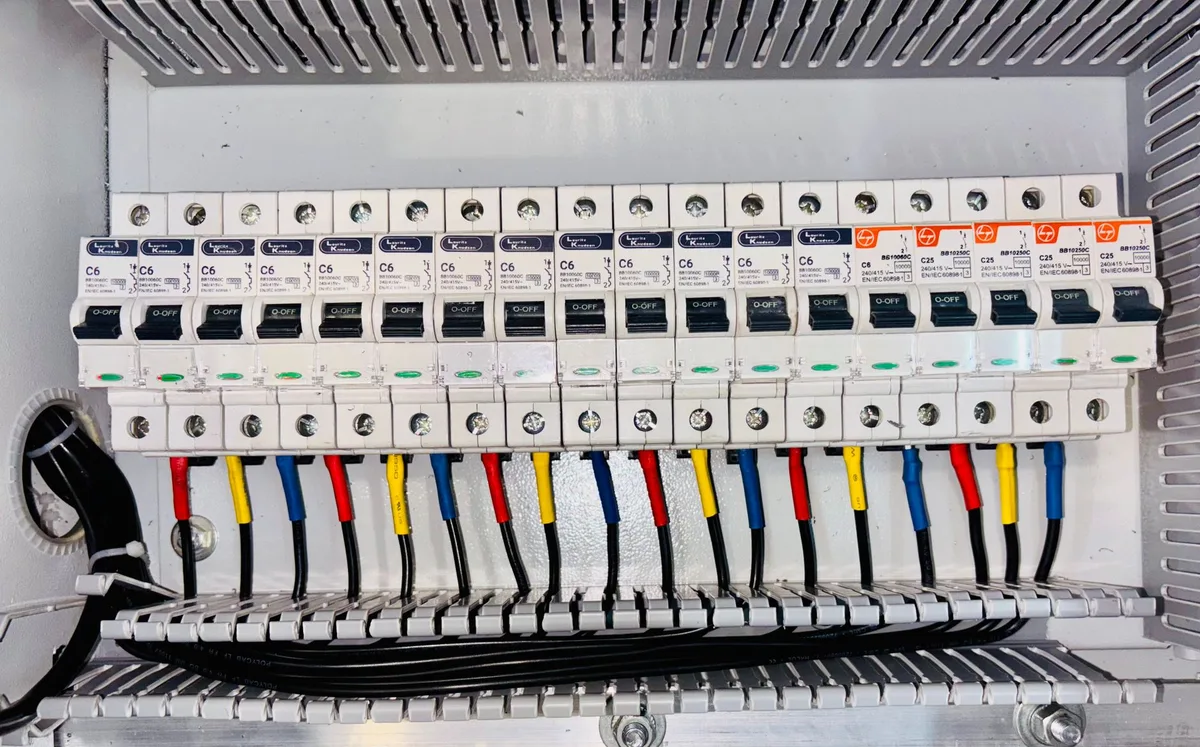
Why this matters. The thermostat runs on low voltage (24V). But the furnace runs on 120V or 240V. Touching the wrong wire inside the furnace can shock you.
Always confirm the power is off before touching any wiring.
When to Call a Pro Instead of Trying to Fix It Yourself
Some problems are best left to a licensed HVAC technician. Here is when to stop troubleshooting and call for help.
Call a pro if: the furnace trips its reset button repeatedly. The furnace makes loud banging, screeching, or grinding noises. You smell gas near the furnace.
The furnace blower runs but no heat comes out. The pilot light is out on an older gas furnace.
Also call if: the thermostat wiring is damaged or corroded. The furnace control board is burned or shows signs of melting. You have checked everything in this guide and the furnace still will not run.
A typical service call costs between $100 and $300. That is a fair price for a safe, correct diagnosis.
FAQs: Quick Answers to the Most Common Questions
How do I reset my thermostat if there is no reset button?
Remove the batteries. Wait 30 seconds. Put fresh batteries in.
This forces a hard reset. If the thermostat is hardwired, turn off the power at the breaker for 30 seconds.
Why is my thermostat blank after I changed the batteries?
Check the battery polarity. The positive and negative ends must match the diagram. If they are correct, the thermostat may be dead.
Test with a fresh set of batteries from a new pack.
How long should I wait after resetting the thermostat?
Wait at least 5 minutes. The compressor delay is built into the system. If the furnace does not start within 10 minutes, there is likely another issue.
Can resetting my thermostat damage the furnace?
No. A standard reset is safe. It simply clears the thermostat’s memory.
Repeatedly resetting the furnace itself without fixing the underlying problem can cause damage.
What does the reset button on my furnace do?
It resets the safety limit switch. This switch shuts the furnace down if it overheats. If the button trips again immediately, there is a real problem that needs professional attention.
Final Decision Guide: What to Try First, Second, and Third
First: power cycle or battery pull. This fixes 80 percent of thermostat issues. Try it before anything else.
Second: check the furnace itself. Look at the furnace reset button, the air filter, the condensate drain line, and the circuit breaker. These are the next most common culprits.
Third: call a professional. If the first two steps fail, the problem is likely beyond a simple reset. Do not keep guessing. A technician will diagnose it quickly and safely.


Similar Posts